
What I ran into#
For a long time, my main Docker host had one shared bridge network, informally called proxy, where every stack lived together with the Traefik reverse proxy - also running as a regular Docker container attached to that same network.
Then I moved Traefik out of Docker into a separate LXC container, where it now runs not as a container but as a plain binary (covered in detail in the Traefik in LXC series: part 2 on the final config, part 3 on running CrowdSec alongside it, and the firewall part on moving all of it into its own VLAN). That’s when the shared-network setup stopped working in principle. Traefik is no longer a Docker container, so it physically can’t attach to a docker network via external: true like before - it simply has no way in through Docker’s network isolation.
Everything had to be rebuilt from scratch. Though “optimized” is probably the more accurate word. I removed the shared proxy network, and every docker-compose stack got its own dedicated network.
As a side effect, this also gave me classic isolation for free: containers within one stack can see each other, while containers from different stacks can’t reach each other directly at all, since the shared network with Traefik no longer exists as a concept.
While I was recreating stacks one by one under the new scheme, at some point docker compose up stopped starting with this error:
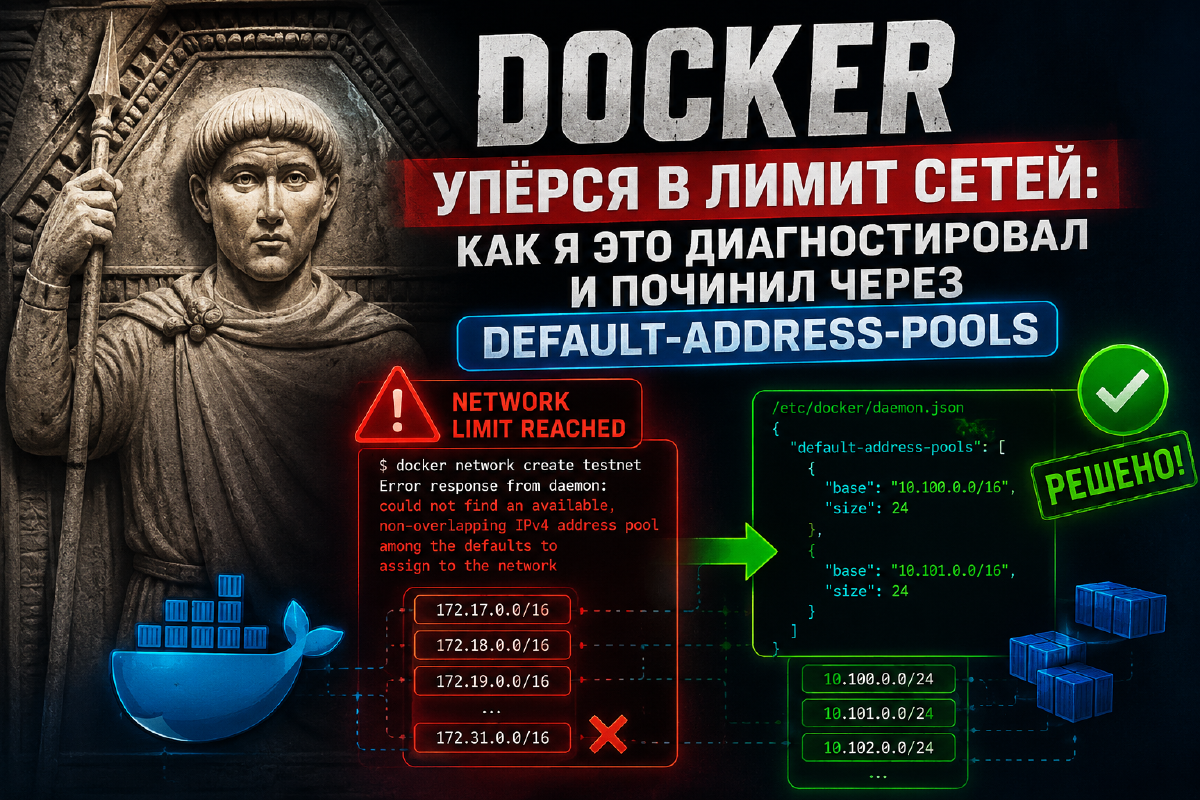
Error response from daemon: could not find an available, non-overlapping IPv4 address pool among the defaults to assign to the networkSometimes the same thing showed up in a slightly different form:
failed to create network <name>_default: Error response from daemon: could not find an available, non-overlapping IPv4 address pool among the defaults to assign to the networkIn other words, Docker was physically unable to create another network - it had run out of free address ranges.
On top of that, other existing docker networks started failing to come up with that exact same error - meaning the problem wasn’t isolated to one stack, it was systemic, affecting the whole address pool at once.
Why this happens#
When a network is created without an explicitly specified subnet, Docker pulls one from its internal pool - the so-called default-address-pools. By default this is the 172.17.0.0/12 range (the entire 172.16.0.0–172.31.255.255 block), from which every new network gets carved a /20 chunk.
A /20 chunk is 4096 addresses per network. Even if a stack only has two containers, Docker still hands it that whole block. At that chunk size, a /12 pool only fits about 15-16 networks - and that’s without accounting for parts of the range possibly overlapping with addresses already in use elsewhere on the system (VPN, other interfaces, etc.).
This is exactly why switching to a “one network per stack” scheme is the precise scenario where you’ll hit the limit very, very fast. One shared bridge for everything is one network. A dozen stacks with their own networks is a dozen networks - and the default limit ends up sitting right around the corner.
Diagnosis#
First, it’s worth confirming that the pool is actually exhausted, rather than a one-off conflict with a specific subnet. I checked how many networks already existed and which ranges they occupied:
docker network ls
docker network inspect $(docker network ls -q) -f '{{.Name}}: {{range .IPAM.Config}}{{.Subnet}}{{end}}'
If the output shows most of the 172.16.0.0/12 range already claimed in /20 chunks, with more networks piling up - that’s it.
It’s also worth checking whether something else on the host’s network (a VPN client, an extra interface) is pushing routes into the same range - in that case the overlap would kick in even earlier than the pool actually running out. In my case, the cause really was just the sheer number of networks.
The fix#
The address pool and the per-network chunk size are configured in /etc/docker/daemon.json via the default-address-pools key. I set it to this:
{
  "default-address-pools": [
    { "base": "172.20.0.0/12", "size": 24 }
  ]
}
The point is two things at once:
- A
/24-sized chunk instead of the default/20- that’s 256 addresses per network instead of 4096. More than enough for a typical docker-compose stack. - A
/12pool, sliced into/24s, gives roughly 4096 available networks instead of the original dozen and a half.
After editing the config, the daemon needs a restart:
sudo systemctl restart dockerRestarting the Docker daemon doesn’t touch already-running containers directly, but it does rebuild the network stack - in practice I did this during a low-traffic window. In plain terms: at night. Afterward I checked that every container and its network came back up normally. If you’re running production workloads, plan the restart as a separate, deliberate step, not something done on the fly.
After the restart, new networks are carved from the new pool, and docker compose up went through cleanly for the rest of the stacks.
Things to watch for if you’re planning the same move#
- If you’re switching from a shared network to a dedicated network per stack, set a smaller
default-address-poolschunk size (/24, or even/28for very small networks) right away - don’t wait until you hit the limit halfway through the migration. basecan be any private range that doesn’t overlap with your physical network or VLANs - if you’re already using part of172.x.x.xfor something else (like VLANs, in my case), make sure the range indaemon.jsondoesn’t collide with them.- Changing
default-address-poolsonly affects new networks - existing networks keep their old (wider) subnets, and you don’t have to recreate them. - Networks that are removed but not attached to any container (
docker network prune) free up space in the pool - if the limit caught you off guard, it’s worth checking first whether old leftover networks have been piling up.
Bottom line#
The limit on the number of Docker networks isn’t some standalone “cap” - it’s a direct consequence of how Docker slices its address pool by default: large chunks out of a small range. Once you have more than a dozen networks, the default settings stop being enough. The fix is simple and one-time: shrink the per-network subnet size via default-address-pools in daemon.json, and the limit gets pushed thousands of networks further out. For a homelab, that’s effectively no limit at all.
In my case, this was really just a side effect of a bigger migration - moving Traefik out of a Docker container and into a separate LXC as a systemd binary. More on that here: