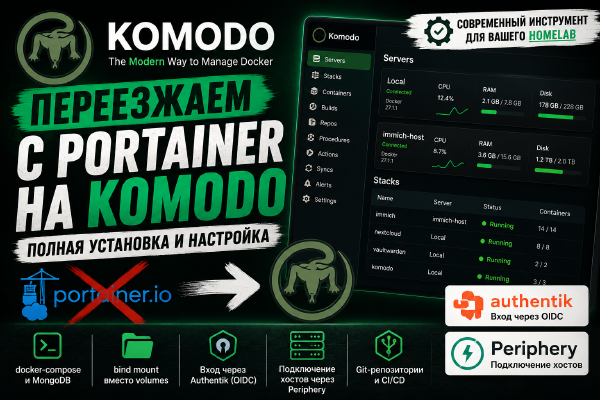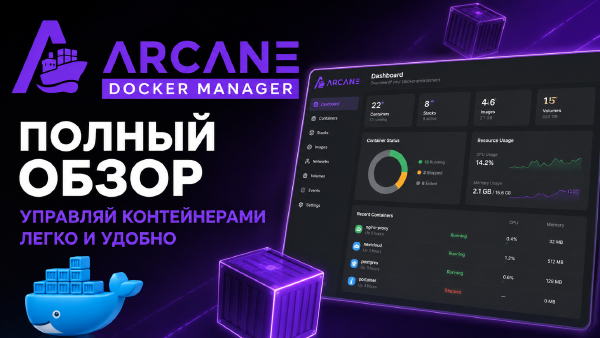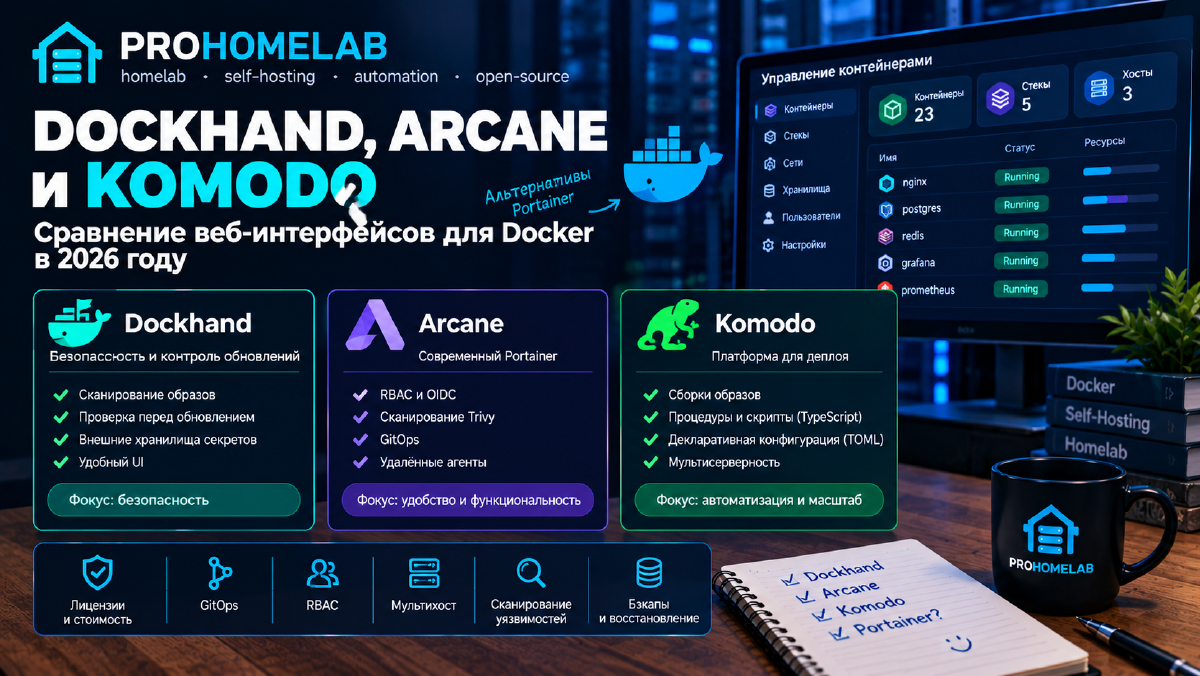

Portainer used to be pretty much the only serious option whenever you needed a web UI for Docker. That’s changed. Over the past year several serious contenders showed up, and I’ve already covered three of them separately - Dockhand, Arcane, and Komodo.
Standalone reviews are nice, but sooner or later the real question shows up: which one should I actually install? So this time I’m pulling everything into one article and comparing them head to head - on capabilities, licensing, and how they behave once you’re actually running them.
This is a feature comparison based on my own hands-on experience, not a benchmark of performance, response times, or other things that matter less. I double-checked everything against official sites, docs, and release notes as of September 21, 2026, and re-verified on September 30. All three projects ship updates almost weekly, so expect some of this to age within a month.
I left Dockge out of the comparison - it’s built around plain docker compose, and, as far as I can tell, it’s more abandoned than alive at this point. Nightly builds keep showing up in the repo every day, but there hasn’t been a new major release in about a year. Worth not forgetting about Portainer either.
While I was putting this article together, Portainer itself dropped an announcement that poured a bit more fuel on the fire. The company unveiled Portainer 3.0 and openly called it Kubernetes-first. Instead of one universal interface, there’s now going to be a “family” of separate consoles (Portainer-Run, Portainer-IDP, Portainer-Command, Portainer-Operations, Portainer-AiGrid), each tuned for a specific job, but all of them Kubernetes-first above everything else. The reasoning is straightforward: the Docker Engine API only offers one level of access - effectively root on the host - with no fine-grained authorization or multi-tenancy, which is exactly what enterprise customers need, and nobody’s going to build that into Docker itself.
Nothing scary is happening to Docker support just yet. Version 2.45 became the final LTS release of the 2.x line, and it’s promised security patches, bugfixes, and selective backports from 3.x. The new observability and policy features in 3.x are Kubernetes-only, so Docker on the 2.x branch stays stable but stops evolving. The company insists it isn’t abandoning Docker, and it’s offering free migration tools - KubeSolo and D2K (a Docker CLI layered on top of Kubernetes). But the direction is crystal clear, and it’s exactly why alternatives like Dockhand, Arcane, and Komodo are picking up steam right now: while Portainer looks toward Kubernetes, homelab Docker needs something else.
Three different approaches to the same job#
Before diving into tables, it’s worth understanding that these tools solve slightly different problems. Though with Arcane and Dockhand, that line gets blurry - really, really blurry.
- Dockhand - a tidy interface for containers and stacks with a strong focus on update safety: image scanning, pre-update checks, external secret stores.
- Arcane - “Portainer, but modern,” where almost everything is free: RBAC, OIDC, Trivy scanning, GitOps, remote agents. The philosophy is a friendly UI layered on top of the Docker Engine.
- Komodo - not really a panel anymore, but a build-and-deploy platform for a whole fleet of servers: image builds, procedures, TypeScript scripts, declarative config sync via TOML.
The architecture differs just as much:
flowchart LR
  subgraph DH["Dockhand"]
    D1["Dockhand
SQLite or Postgres"] -->|"docker.sock or TCP+TLS"| D2["Docker host"]
    D3["Hawser agent"] -->|"outbound connection"| D1
  end
  subgraph AR["Arcane"]
    A1["Arcane Manager
SQLite or Postgres"] -->|"docker.sock"| A2["Docker host"]
    A3["Arcane Agent"] -.->|"direct or edge"| A1
  end
  subgraph KM["Komodo"]
    K1["Core
UI and API"] --> K2[("MongoDB or FerretDB")]
    K1 <-->|"Core and Periphery"| K3["Periphery on each host"]
    K3 --> K4["Docker host"]
  end
The difference is obvious right away. Dockhand and Arcane’s manager are single applications (plus an optional agent for remote hosts), while Komodo is a combination of Core, Periphery, and a database. That shapes both the barrier to entry and what each tool can actually do.
Comparison table#
| Parameter | Dockhand | Arcane | Komodo |
|---|---|---|---|
| Version as of 9/21/26 | 1.0.48 | 2.13.0 | 2.3.x |
| License | BSL 1.1 (source-available) | BSD-3-Clause | GPL-3.0 |
| Stack | Bun + SvelteKit | Go + SvelteKit | Rust |
| Database | SQLite or PostgreSQL | SQLite or PostgreSQL | MongoDB or FerretDB |
| Remote hosts | TCP + TLS, Hawser agent (outbound connection) | Agent: direct (port 3553) or edge (outbound connection) | Periphery agent; as of v2 it can connect to Core on its own |
| Compose from Git | Yes, webhook and scheduled sync | Yes, GitOps sync | Yes, Stack from a repo plus webhook |
| Image builds | No (on the roadmap) | Yes, Build Workspace | Yes, Builds (including on EC2 spot instances) |
| Automation | Schedules, REST API with tokens | Schedules, CLI, API keys | Procedures, TypeScript Actions, schedules, Syncs (TOML), CLI, API |
| OIDC / SSO | Yes, free | Yes, free | Yes (OIDC, GitHub, Google) |
| RBAC | Paid (Enterprise) | Free: 6 roles plus custom ones | Free: granular permissions |
| LDAP / AD | Paid (Enterprise) | No | Not on the feature list |
| 2FA | TOTP | Passkey | TOTP and passkey |
| Vulnerability scanner | Grype and Trivy | Trivy (plus Copacetic image patching) | Not on the feature list |
| Backups | restic: S3, B2, Azure, GCS (beta) | S3 and scheduled volumes, backup to Git | Scheduled backup of its own database |
| Secrets | External stores (1Password, Vault, Infisical, and others) | Global environment variables | Variables and secrets with interpolation |
| Docker Swarm | No | Yes | Yes |
| Paid tiers | Yes. Some options are genuinely expensive. | No | No |
| GitHub stars | around 6.6k | around 7.7k | around 12.6k |
Dockhand#
Dockhand is the youngest of the three: the first public v1.0.0 release shipped in December 2025, and v1.0.48 was current as of writing. It’s built by a company called Finsys.
What’s good about it:
- Update safety. Dockhand checks for new image versions, shows badges with release notes, and on auto-update pulls the new image under a temporary tag and scans it first. If the vulnerabilities found cross a set threshold, the temporary image gets deleted and the running container keeps chugging along untouched.
- Free SSO and 2FA. OIDC with any provider and TOTP are both included in the free tier.
- External secret stores: 1Password, HashiCorp Vault, Infisical, Doppler, Bitwarden, Proton Pass, Azure Key Vault, KeePassXC. Secrets get injected at deploy time and never touch the compose file or disk.
- Hawser - a small, open-source Go agent. It connects outbound to Dockhand itself, so hosts behind NAT or a firewall can be managed without opening a single port.
- restic-based backups (still in beta): volumes, bind mounts, and stack files can ship off to S3, Backblaze, Azure, or Google Cloud.
- Nice little touches: a web terminal, an in-container file browser, Prometheus metrics, a token-based REST API, and generating a compose file straight from a running container.
What’s not so good:
- RBAC, LDAP/AD, environment-level permissions, and audit logs are Enterprise-only. Container activity logs are free; compliance-grade auditing isn’t.
- The license. There’s a whole section on this below, and it has a wrinkle worth reading before you deploy this anywhere that isn’t your own homelab, especially if you’re a FOSS purist.
- Docker only. No Swarm, no Kubernetes. Podman gets partial compatibility - recent releases regularly patch Podman-related bugs, but Docker is still clearly the primary target.
- No image building or automation scripts. Both are listed on the roadmap as “future.”
- Age. Less than a year on the market, and nearly every changelog entry includes regression fixes. Tolerable for a homelab, but pin the image version instead of running
latest.
From my own review: on first launch Dockhand didn’t prompt me to create a user, which caught me off guard in a bad way. On the plus side, its built-in update checker happily replaced Diun for me. I still think auto-updating containers is a feature for enthusiasts only - without reading the changelog first, it’s a gamble.
I was pretty hard on the built-in vulnerability scanner in my original review - it’ll always find something, and a newcomer can easily panic. Since then it’s been noticeably polished: there’s now a unified CVE dashboard, SARIF export, and safe-pull protection during auto-updates, so it’s worth another look.
Arcane#
Arcane is written in Go and SvelteKit, ships under BSD-3-Clause, and moves faster than either of the other two: ten releases between August 13 and September 19, from v2.8.0 to v2.13.0 (by the time I re-checked on September 30, v2.14.0 was already out).
While this article was being put together, the project moved to a new GitHub organization - from ofkm/arcane to getarcaneapp/arcane. Old links redirect automatically. Nothing changed functionally or license-wise, but if you’d bookmarked direct links to the repo or the image, it’s worth updating them.
What’s good about it:
- Everything’s free, with no node limits. There’s no paid edition of this project at all.
- Real RBAC. Six built-in roles (Admin, Editor, No-Shell Editor, Deployer, Monitor, Viewer) that you can clone into your own. Roles can be assigned globally or per environment, and they can also be pulled straight from your OIDC provider’s groups. This landed in v2.0.0 back in June 2026.
- Scheduled Trivy scanning and Copacetic-based image patching (OS-level vulnerabilities only).
- GitOps: syncing projects from Git, plus a “back up to Git” mode.
- Two agent modes: direct, where the manager connects to the agent itself, and edge, where the agent reaches out and no inbound ports are needed.
- Backups to S3 on a schedule for volumes, Docker Swarm support, passkeys, a CLI.
- Convert to Compose - an experimental feature that assembles a compose file out of already-running containers.
What’s not so good:
- No LDAP - OIDC only. A non-issue at home, but a real gap at work.
- No in-container file browser. There’s a Volume Workspace for viewing and editing files inside volumes, but you can’t poke around inside the container’s own filesystem.
- The pace of change is a double-edged sword. v2.8.0 and v2.9.0 shipped a GitOps bug where repo clones piled up on disk (one user reported around 9 GB a day). Fixed in v2.10.0 - if you’re installing Arcane specifically for GitOps, grab that version or newer.
- Secrets and HTTPS.
ENCRYPTION_KEYships with a dev default that you need to change. Passkeys only work over HTTPS withAPP_URLset correctly. - Existing projects come with a catch: the path to their folder has to match inside and outside the container, and you set it via
PROJECTS_DIRECTORY.
From my own review: installing off my compose file takes about thirty seconds, I keep the data in a bind mount as usual, and it’s better to hand off Docker socket access through a socket proxy rather than mounting it directly.
Komodo#
Komodo is the most popular of the three, written in Rust, and distributed under GPL-3.0. It’s been on its second major version since March 2026.
What’s good about it:
- Scale. There’s no limit on the number of servers, and the authors promise there never will be. I’ll take their word for it.
- A rich resource model: Servers, Stacks, Deployments, Builds, Repos, Procedures, Actions, Syncs, Alerters.
- Builds. Building images from a Dockerfile or a git repo, including on ephemeral AWS EC2 spot instances.
- Procedures and Actions. Multi-step workflows and TypeScript scripts that run manually, on a schedule, or off a webhook.
- Syncs. Resource configuration is described in TOML files in git, and Komodo reconciles actual state to match. Think Terraform, but for a homelab and without Terraform.
- Full audit trail. Every change gets logged: who did it and when.
- Access and login. A granular permission system, password login, OAuth (GitHub, Google) or generic OIDC, TOTP and passkey 2FA.
- What v2 brought: Docker Swarm management, outbound Periphery-to-Core connections, PKI authentication between them with automatic key rotation, onboarding keys for quickly adding servers, terminals, and interactive OpenAPI docs.
- Podman is supported through a
podman→dockeralias, per the docs.
What’s not so good:
- The database. MongoDB or FerretDB only (a MongoDB-protocol emulator on top of Postgres or SQLite). There’s no way to talk to Postgres directly, and from where I sit, that’s a genuinely big downside.
- Periphery is mandatory, always, even on the main host.
- No stack auto-discovery. Every stack has to be declared in Komodo by hand - there’s no ready-made import from something like Portainer.
- Periphery’s
root_directoryis an easy place to trip up. It has to point at the parent folder holding all your compose projects, or you’ll getNo such file or directory. I went through this in detail in my review. - Version drift between Core and Periphery, if Core tracks a floating tag and the agent on a remote host doesn’t. Fixable in a couple of minutes, but it’s something to keep in mind, and having to manually update it across every host gets old.
- Higher barrier to entry. Resources, TOML, procedures - unlocking the full potential takes some real learning.
- No built-in vulnerability scanner on the feature list.
- Optional usage-statistics reporting showed up in version 2.3.0. It’s opt-in, but worth knowing about if zero telemetry matters to you.
From my own experience: Komodo is my daily driver. All my stacks live in a single git repo on Forgejo, and deployment fires off a webhook on every push. I walked through the whole setup in Forgejo + Komodo - Turning Docker Compose into GitOps. Alert notifications go out to Gotify through a dedicated alerter.
A closer look at licensing#
Sounds like a boring topic, but this is exactly where the most fundamental difference between these projects lives.
- Arcane - BSD-3-Clause. A permissive license: use it anywhere, commercial projects included.
- Komodo - GPL-3.0. No restrictions at all for just running it yourself. Copyleft only kicks in if you fork the project and distribute a modified version.
- Dockhand - Business Source License 1.1. This isn’t open source by the OSI’s definition, and the license’s own authors say so outright. The source is open, but there are usage restrictions, and each version eventually converts to Apache 2.0.
There’s an important wrinkle with Dockhand. When I wrote my original review, things looked simple: everything’s free except turning Dockhand into a SaaS product for third parties, and the project converts to Apache 2.0 on January 1, 2029. As of when I wrote this article (September 21, 2026), the wording differed between sources: dockhand.pro already showed a stricter edition, while LICENSE.txt in the GitHub repo lagged behind with the older, more permissive version.
By the time I re-checked on September 30, 2026, that gap had closed - LICENSE.txt in the repo was updated (it’s marked “Last updated: 14 September 2026” right in the file) and now matches the website word for word.
That still wasn’t the last edit. On October 3, 2026, the repo’s LICENSE.txt picked up a new “sole operator use” category: a sole proprietor or self-employed person working alone, running Dockhand on infrastructure they operate themselves with no employees involved, now also falls under free use. Before this change, any sole proprietor or self-employed person needed a commercial license regardless of whether they had employees - the line has now moved to whether the organization has employees at all. The current terms:
- free production use is permitted for individuals for personal purposes (homelab, hobby projects), non-profits, and educational institutions;
- also free for sole proprietors and self-employed people working alone who run Dockhand on their own infrastructure without employees involved (the “sole operator use” category, added October 3, 2026);
- a commercial license is required only for a company, government body, or any other organization that has employees: SMB at $499 per host per year, Enterprise at $1,499;
- development, testing, staging, CI/CD, and evaluation are free for everyone;
- offering Dockhand or a fork of it to third parties as hosting or SaaS is prohibited without a separate agreement;
- every version converts to Apache 2.0 four years after release.
If you’re deploying Dockhand on a server belonging to a company or any other organization with employees, production use requires a commercial license, regardless of what an older fork or mirror of the repo might say. If you’re a sole proprietor or self-employed and you run that infrastructure alone, with no employees, the free sole operator use category applies. For a homelab, there’s nothing to worry about either way.
The thing all three share - docker.sock#
All three tools - like any Docker panel - talk to /var/run/docker.sock, and access to that socket is effectively root on the host. Don’t expose the panel’s port directly to the internet, put it behind a reverse proxy with authentication, and hand off the socket through a socket proxy where you can. Arcane documents this setup officially, and I walked through it in my review. Dockhand can work through a socket proxy too. And Komodo’s Periphery also mounts the host’s /proc.
Migrating from Portainer#
None of the three has a one-click “import stacks from Portainer” button:
- Dockhand can “adopt” stacks created outside the app, and import projects from other container managers.
- Arcane points at a folder of existing compose projects, and its experimental Convert to Compose feature helps assemble files from already-running containers.
- Komodo doesn’t discover stacks on its own. Each one has to be declared manually, though there’s an unofficial komodo-import tool that generates config from your existing folders.
The good news: Portainer and any of these panels coexist just fine, so you can migrate stacks one at a time without shutting anything down.
So, what should you pick#
- One or two hosts, want something simple and good-looking - Arcane or Dockhand. Arcane wins on having RBAC and everything else free. Dockhand wins on thoughtful update safety and secret-store support.
- GitOps, multiple servers, and automation matter - Komodo. Procedures, webhooks, builds, and TOML-based config sync are exclusive to it. The price is MongoDB and a steeper learning curve.
- You need free RBAC - Arcane or Komodo. Dockhand locks it behind paid Enterprise.
- You need LDAP/Active Directory - Dockhand Enterprise only. Neither of the other two has it.
- Hosts behind NAT or a firewall. All three handle this: Dockhand’s Hawser, Arcane’s edge mode, and Komodo v2’s outbound Periphery.
- You’re running Swarm - Arcane or Komodo. Dockhand has no Swarm support.
- Planning a move to Podman - Komodo claims support via an alias, Dockhand’s is partial, and I couldn’t find anything definitive about Arcane in the docs, so test it against your own setup. None of the three manages Kubernetes.
- Deploying inside an organization. Check the license first: Arcane and Komodo are the easiest here, and for Dockhand, read the section above.
- Already on Portainer and not moving to Kubernetes. The 3.0 announcement is one more reason to look at alternatives. Portainer’s development is now centered on Kubernetes, and the Docker branch only gets maintenance, not new features.
Bottom line#
Short version:
- Arcane - the best “install it and forget about it” option if you want one modern interface and don’t want to think about licensing.
- Dockhand - the most careful about update and secret safety, but paid RBAC and its licensing shift make it a less obvious pick for a business.
- Komodo - the most powerful and the most demanding. If you need not just an interface but a full deployment pipeline across multiple servers, nothing else free does this today.
Personally, Komodo is what stuck around in my own setup - the combination of Forgejo, webhooks, and procedures covers everything I need. That said, for one or two hosts I wouldn’t hesitate to run Arcane - it does its job honestly and barely touches system resources.