
Introduction#
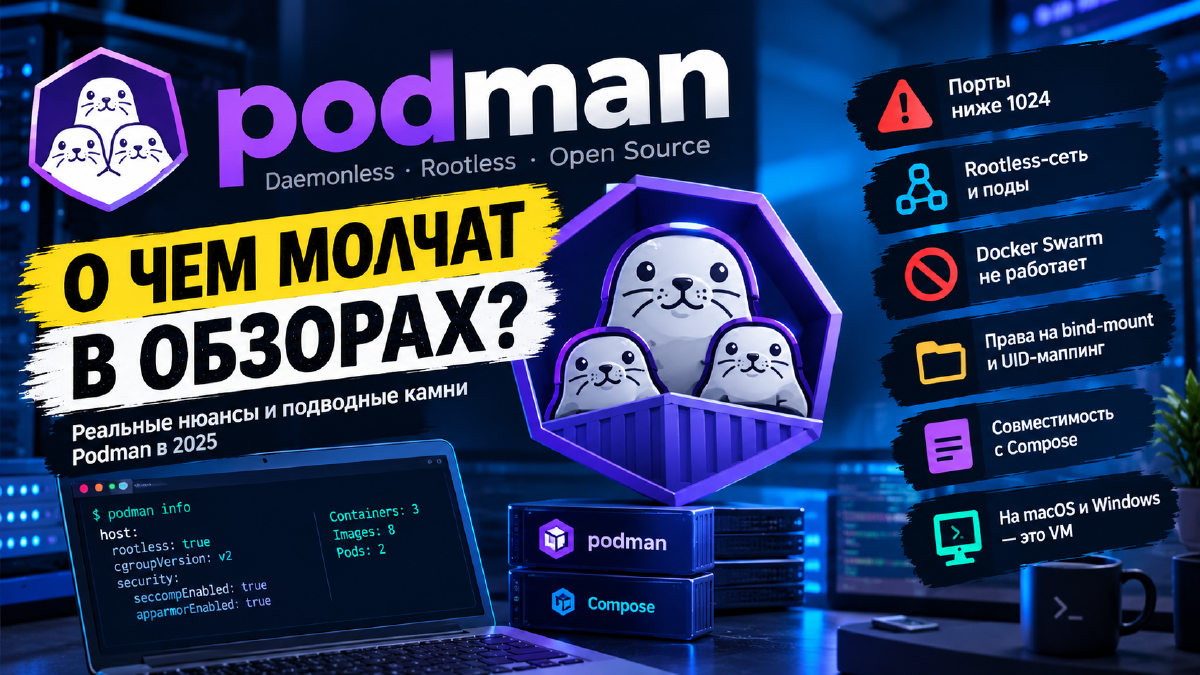
In the article about Podman I went into detail on why Podman replaced Docker in my homelab: a daemonless architecture, full rootless mode out of the box, native systemd integration via Quadlet. All of that is true, and I still think the switch was worth it. But it would be dishonest to talk only about the upsides and stay quiet about what you actually have to put up with. And, honestly, in the comments on my Telegram channel people flat out called me out for not covering Podman’s downsides.
Podman has some very concrete drawbacks - some of them are a direct consequence of the same architectural decisions that turn into advantages in other scenarios. In this article I’ll try to describe the drawbacks that cause genuinely serious inconvenience in practice: from rootless networking quirks to a less mature ecosystem around the project.
Rootless Mode - Not Just Upsides#
Rootless mode is Podman’s headline feature, but it has a flip side, and it’s worth knowing about before you run into it.
Ports Below 1024#
An unprivileged process on Linux can’t listen on ports below 1024 - that’s a kernel restriction, not a Podman one, but rootless containers are the ones that hit it first. You can’t publish PublishPort=80:80 from a rootless container directly: you either need to change net.ipv4.ip_unprivileged_port_start via sysctl, or put a reverse proxy on a higher unprivileged port and forward it further using the host. And you have to keep in mind that the whole world expects a web server or reverse proxy on ports 80 and 443. It seems kind of illogical to even allow publishing ports below 1024 - that’s literally the whole point of Podman. I solved this by moving my reverse proxy into a separate LXC container, decoupling it from any backend entirely. But that particular option isn’t for everyone, for various reasons.
The Client’s Real IP Gets Lost#
There’s another port-related annoyance you usually discover after the fact. By default, published ports on rootless containers are handled by a separate middleman process, rootlessport, so connections reach the app inside the container not from the real client’s address but from Podman’s own internal one. For a regular service that hardly matters, but for a reverse proxy it matters a lot: its logs fill up with the same internal IP instead of your visitors’ addresses, and with that, IP-based restrictions, rate limiting, and CrowdSec - which is supposed to ban specific attackers, not all traffic at once - lose their point.
Podman 6 added an experimental alternative: switching port forwarding over to pasta (the rootless_port_forwarder="pasta" setting in containers.conf), which preserves the client’s source IP. But for now it really is an experiment, and rootlessport remains the default. My reverse proxy living in its own LXC, which I mentioned above, sidesteps this problem as a bonus: the proxy sees real client addresses because it has nothing to do with rootless containers in the first place.
Rootless Containers Live Only While You’re Logged In#
Rootless services, Quadlet units in ~/.config/containers/systemd/ included, run in the per-user systemd instance. And by default that instance only starts when the user logs in, and stops - taking all the containers with it - when the last session closes. So the picture goes like this: everything works during the day, you exit SSH, and your services quietly die; after a host reboot they don’t come up at all until you log in again.
The fix is one command:
sudo loginctl enable-linger $USERBut it’s exactly the kind of command you need to know about in advance. Docker doesn’t have this problem at all - the daemon is started by the system and doesn’t care about user sessions.
There’s No Docker Swarm Equivalent in Podman#
If you’re still using Swarm mode (or were planning to) - it just doesn’t exist in Podman, rootless or rootful, and it’s not coming. This is a deliberate architectural decision, not something to hold out hope for. Though, to be fair, I personally think Docker Swarm doesn’t have much of a future anyway.
Bind-Mount Permissions and UID Mapping#
Rootless containers use user namespaces: UID 0 inside the container turns into an unprivileged UID outside via subuid/subgid. Sounds elegant, right up until you start bind-mounting existing directories from the host. Files created by a process inside the container end up owned, on the host, by a completely “alien” UID from the subuid range, and a plain chown/chmod by hand turns into a whole separate ordeal, not for the faint of heart.
There’s podman unshare for this, which drops you into the same namespaces the container sees - but that’s yet another command you need to know and explain to newcomers, whereas this problem almost never comes up in Docker (especially when running as root).
There’s also a more systemic workaround: the --userns=keep-id flag maps UID 0 inside the container not to a random subuid, but to the same UID you’re logged in as on the host - so files on bind mounts get created with a familiar owner, no podman unshare dance required.
In recent Podman versions you can get the same thing scoped to a single volume, via the :U suffix - Podman will chown the content itself at mount time. But that’s specifically there to work around a limitation. You don’t need to learn any new commands, sure, but you’re still “working around” a limitation of the technology, which gives the whole thing a faint smell of illogicality.
Filesystem Requirements for Rootless Overlay#
A separate, less obvious problem - rootless overlay storage for images requires the filesystem to support d_type (i.e., the file type has to come back directly in the directory entry, without a separate stat() call). Without d_type, rootless overlay simply won’t come up - Podman falls back to vfs, which works reliably but is noticeably slower and much heavier on disk space, since it can’t reuse layers between images as efficiently as overlay does. In practice, on a home server with plain ext4/XFS (XFS, if you’re a Red Hat disciple), d_type is there out of the box and this rarely becomes a problem, but on some network filesystems like NFS, or if you move to something exotic, it’s worth keeping in mind.
Incomplete Docker Compose Compatibility#
The Podman CLI itself really is close to zero-effort compatible with the Docker CLI - I showed that in the first article. Docker Compose is a different story, and not as smooth as you’d want.
podman-compose is a separate project, independent from Podman itself, not a built-in equivalent of docker compose.
Its contributors are upfront in the README that the goal is to run docker-compose.yml unmodified, but in practice that doesn’t always pan out (in my case, never):
- for services attached to several user-defined networks in a single compose file, DNS resolution by service name doesn’t always work reliably from neighboring networks the service wasn’t attached to first;
external: truefor an already-existing network sometimes isn’t recognized correctly, becausepodman-composeprefixes network names with the project name by default - and if the names don’t match literally, instead of reusing the existing network you get an attempt to create a new one;- container and network names generated by
podman-composeuse a different separator by default (_instead of the-adopted in newer Docker Compose versions) - for some automation and scripts that parse container names, this can break logic, though the developers have already added a separate compatibility flag; - not every version of
docker-compose.ymlis supported identically (in particular complex healthcheck constructs, conditionaldepends_on, some profiles) - part of the functionality works “close enough,” part requires edits to the compose file itself, and part you’ll just have to drop.
There’s also a middle ground that a lot of people don’t know about. The podman compose command is a thin wrapper that, by default, looks for and runs the original docker-compose if it’s installed, and only falls back to podman-compose if it isn’t. The wrapper also sets up the environment so docker-compose talks to Podman’s Docker-compatible socket. In other words, your compose files get parsed by the reference implementation of the spec, while the containers themselves are run by Podman. It obviously doesn’t fix anything at the networking or rootless level, but discrepancies in parsing the compose files themselves drop noticeably.
Formally, you can move to native Quadlet+Podlet, which I wrote about in a separate article, and that genuinely removes most of the problems (and, frankly, that’s the correct way to use Podman) - but that’s no longer “the exact same docker-compose.yml, unmodified,” it’s a migration to a different configuration format. If your project has dozens of ready-made compose files from other people’s repos (and in self-hosting that’s basically always the case), you need to be ready for the fact that point fixes will be necessary.
On macOS and Windows, Podman Is Also a VM#
One of the main arguments in Podman’s favor is the lack of a daemon. But that’s only true for Linux. On macOS and Windows, containers fundamentally can’t run natively (different kernel), and both Docker Desktop and podman machine solve this the same way - they spin up a lightweight Linux VM and run the real Podman inside it.
Meaning: on macOS and Windows the daemonless advantage disappears - you’re back to having a background process (in this case, the VM itself) that you need to start, watch the resource usage of, and update the image of separately from Podman itself.
And there’s one more small nuance on top of that. It’s not just one background process - alongside the VM, there’s also gvproxy running on the host, which tunnels network access and the Docker-compatible socket into the machine over SSH, so “just a VM” is, in practice, a VM plus the plumbing around it.
For a homelab, where the server is usually on Linux, this isn’t critical - but if you’re running production, with part of the team on Macs and part on Windows, the actual difference from Docker Desktop is a lot smaller than marketing comparisons make it look.
No Built-In Multi-Host Orchestration#
Podman handles single-host workloads great - that’s a deliberate design choice, by design, so to speak. But if tomorrow you need:
horizontal scaling of a service under load;
an HA cluster across several physical nodes;
service discovery between nodes out of the box;
there’s no ready answer from Podman. Generating Kubernetes manifests via
podman generate kubemakes migration easier, but the migration itself still means deploying a full Kubernetes stack (k3s, MicroK8s, RKE2 - doesn’t matter which) with all the accompanying weight: etcd or an equivalent, a control plane, CNI plugins.
Docker Swarm, for all its flaws, at least offered a reasonably simple native path from one host to several - Podman has no such “intermediate step” at all, and isn’t going to get one anytime soon.
Podman’s Ecosystem and Tooling Are Still Playing Catch-Up With Docker#
Technically, Podman is a fairly mature project by now, but in terms of ecosystem reach Docker is still way out ahead, and you feel it in practice:
- GUI. Podman Desktop is actively developed and already quite usable for day-to-day work, but in terms of the number of built-in extensions, ready-made integrations, and sheer interface polish, Docker Desktop is far ahead of it;
- Ready-made tutorials. The overwhelming majority of self-hosting instructions online are written by default for
docker run/docker-compose up. Working with them means either going throughalias docker=podman(which covers 90% of cases, but still), or manually adapting things for rootless specifics - volume labels:Z/:zfor SELinux systems, for example, are almost never mentioned in the original docs, even though, in my view, that should be mandatory. Not everyone is aware of SELinux quirks; - Tools hard-wired to
docker.sock. Some popular self-hosted utilities (certain dashboards, some CI runners, a few monitoring agents) historically talk directly to the Docker socket and its API semantics. Podman offers a Docker-compatible REST API viapodman system service, but it’s not a perfect solution, not everything works exactly as it should, and for niche tools you sometimes have to either find a fork with Podman support, or leave that particular service running on Docker; - Docker Hub vs. Red Hat registries. Podman by default isn’t tied to a single registry, which is more of a plus, but at first it trips up newcomers with the need to spell out the full image path (
docker.io/library/nginxinstead of justnginx) unlessregistries.confhas unqualified-search registries configured the way you need. And on any distro not tied to Red Hat, you do need to configure them. In fact, in real life this is probably the very first problem anyone runs into - I’m just listing it last for the sake of the article’s structure.
A Steeper Learning Curve for Newcomers#
Worth talking separately about the mental model, as they like to say abroad. Docker was, for years, synonymous with containerization precisely because it hid the complexity behind a simple shell: one daemon, one docker run command, and everything “just works” (which is what most beginners want) as root, with no need to get into user namespaces or other such semiotics. Podman demands a lot more understanding of what’s happening under the hood and how the system actually works:
- what subuid/subgid are, and what happens if the ranges aren’t configured or overlap between users;
- the difference between rootless and rootful mode, and when it’s actually justified to switch to the latter;
- SELinux labels on volumes on the Fedora/RHEL family, without which a container simply won’t see the mounted directory;
- cgroups v2 - Podman 6 can’t live without them, since cgroups v1 support was removed entirely, so on older systems you’ll be sorting out cgroups first and Podman second.
For someone who’s already set up (and re-set-up) homelab infrastructure more than once and isn’t afraid to read a man page, this isn’t a problem - it’s practically part of the fun. But if your goal is to just get a service up quickly and not spend a few cozy evenings reading documentation, followed by tearing your hair out and throwing it at the monitor, then a first encounter with Podman can feel noticeably more painful than with Docker.
Major Versions Break Compatibility#
Over the years Docker has trained us to think of engine upgrades as boring. Podman is bolder about it. Podman 6 came out in summer 2026, and the list of things it simply removed is impressive:
- cgroups v1 support;
- iptables - nftables only now;
- the CNI network stack - Netavark only now;
slirp4netnsfor rootless networking - pasta only now;- the BoltDB database - on first start, Podman will try to migrate it to SQLite on its own.
On top of that, some defaults changed: network isolation is now on, and podman volume prune only removes anonymous volumes. Each of these decisions makes sense on its own, and most of them even bring Podman closer to how Docker behaves. But taken together, it means a major Podman upgrade needs to be planned like a small migration, not kicked off with dnf upgrade on a Friday evening. Especially if your server has something that was set up “somehow” a long time ago and hasn’t been touched since.
The flip side of the same coin is long-term-support distros. Podman there can lag several versions behind, and guides from the internet written for a fresh release don’t always work with whatever’s in your repository.
When These Drawbacks Actually Matter#
Putting it all together, I’d single out three situations where Podman’s downsides outweigh its architectural upsides:
- you need multi-host orchestration here and now, not down the road - in that case either Docker Swarm as a stopgap, or go straight to Kubernetes;
- your infrastructure is tied exclusively to tools that strictly require access to
docker.sock, with no Podman-compatible alternative; - your dev team works primarily on macOS/Windows (probably the most common case, and the best example of all) and was hoping to drop the VM layer by moving off Docker Desktop.
In every other scenario - and for homelabs and self-hosted servers on Linux that’s the overwhelming majority of cases - the drawbacks are more of a “you need to sit down and figure this out once” than a “categorically won’t work for you.”
Conclusions#
None of the points above cancel out what I wrote in the first article about Podman’s advantages. But its drawbacks are more than real, not made up, the way people sometimes claim online when arguing about one solution or another:
- rootless networking sometimes limits you more than you’d like - from ports below 1024 to losing the client’s real IP;
- rootless services without
loginctl enable-lingeronly live until you log out; - Docker Compose compatibility is incomplete;
- major upgrades break compatibility, and you need to prepare for them;
- the ecosystem around the project is still playing catch-up with Docker, both in tooling coverage and in available guides.
If you’re planning a switch, the sensible approach is not to rewrite your entire infrastructure at once, but to migrate one not-too-critical service at a time, same as I recommended last time, and to budget time in advance for running into one or two items from this article’s list of problems. This isn’t a reason to give up on Podman - it’s a reason not to get discouraged when something doesn’t work the first time around. And that “something” will happen, guaranteed.
Useful links: