
Postiz: trying to automate YouTube, VK, and RuTube - and why only one out of three actually works#
For obvious reasons, at some point I ended up with three platforms where I upload video - YouTube as the main one, plus VK and RuTube for the part of the audience for whom that-which-must-not-be-named doesn’t work. Uploading the same video by hand three times is the kind of task that gets old fast, believe me, I know what I’m talking about - so I decided to look into a self-hosted solution for automatic publishing. My choice landed on Postiz - an open-source post scheduler (AGPL-3.0 license), a self-hosted alternative to Buffer/Hootsuite/Later, with claimed support for three dozen platforms at once.
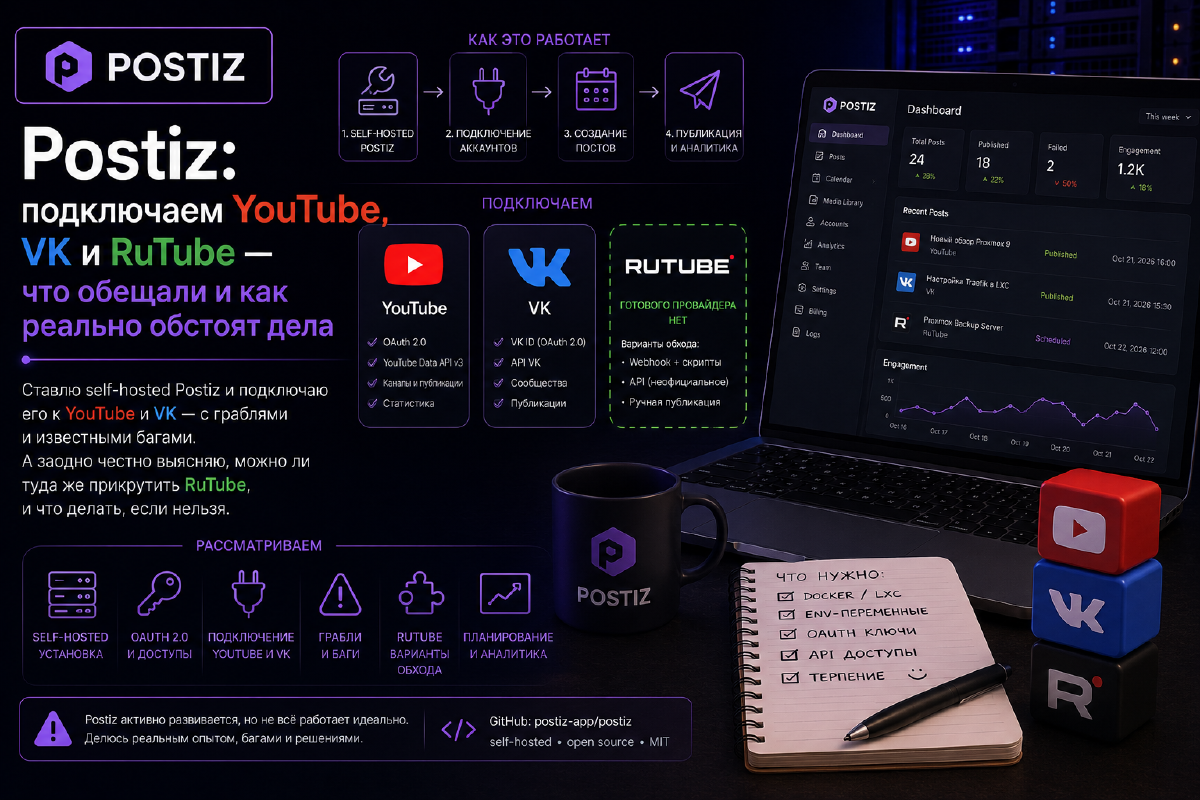
On paper it all sounded great: write a post once, pick the platforms and time - and Postiz distributes the publication on schedule by itself. In practice things turned out a bit less smooth than the project’s own marketing materials suggest. YouTube connected without surprises, aside from the issue of not being able to select Russia as the channel’s country of registration. But that’s not the app’s problem - it’s just today’s reality with Google. VK took some fiddling, but it all ended in failure. And RuTube… well, let’s take it step by step.
What Postiz is#
Postiz is an open-source tool for scheduling and automatically posting to social media. Essentially, a self-hosted alternative to Buffer/Hootsuite/Later - only without a monthly subscription and with full control over your data, which, for my homelab blog, sounds like the only right path. The project officially claims support for more than 30 platforms - X, Instagram, LinkedIn, TikTok, Facebook, Threads, Discord, Slack, YouTube, VK, and so on.
But here’s something you’ll run into almost immediately: not all of those thirty-plus platforms are supported equally well. A small caveat: of course, I haven’t tested every platform listed in the app. Some services have a full “Connect” button right in the interface. Some only work through a Public API, with no way to click through the UI. And some platforms, as it turns out, simply aren’t present in Postiz at all - whatever the landing page says. RuTube is exactly such a case.
Setting up Postiz#
The first important point - the developers themselves explicitly ask you not to drag a docker-compose.yml from someone’s article (which, it turns out, includes mine), but to grab it from the canonical repository:
git clone https://github.com/gitroomhq/postiz-docker-composeThe logic is understandable in principle - services, images, the set of env variables, and container functionality change from release to release, and data from an article can quickly go stale. From there, docker compose up -d from the canonical repository brings up Postiz, Postgres, Redis, and Temporal (which handles queues and publication scheduling here) as a single stack.
I took this compose file as a base, but before running it on my setup, I tidied it up to match my usual requirements and habits - just like with other services in my homelab: I replaced Docker volumes with bind mounts, moved all secrets (JWT_SECRET, DB passwords, social media keys) into a separate .env, and added Traefik labels right away, just commented out, because at the moment Traefik on my setup runs in a separate LXC container.
Next comes the most tedious part - environment variables. There are a lot of them, really a lot, but for a home lab with a Traefik reverse proxy, only a handful are truly critical:
| Variable | What it does |
|---|---|
DATABASE_URL | Postgres connection string |
REDIS_URL | Redis connection (queues, cache) |
JWT_SECRET | a long random string for signing sessions |
FRONTEND_URL | the address at which the browser sees the Postiz frontend |
NEXT_PUBLIC_BACKEND_URL | the address at which the browser sees the Postiz backend |
BACKEND_INTERNAL_URL | the address at which the frontend (SSR) reaches the backend inside the network/container |
MAIN_URL | optional, for absolute links in email notifications. If not set, FRONTEND_URL is used |
An external Postgres instead of the container out of the box#
One point where I immediately departed from the canonical compose file - Postgres. In the official repository it’s brought up as a local container next to Postiz itself, but I already have a separate Postgres 16 server at the appropriate address - the same one that serves Forgejo, Authentik, and a bunch of other services, set up precisely so I don’t end up with a separate DB container for every self-hosted service.
The official system requirements documentation calls for PostgreSQL version 14 or newer, so version 16 clears that bar with room to spare - no need to upgrade or spin up a separate instance. An external Postgres for Postiz is an officially supported scenario; the developers specifically mention it in the system requirements as an option that just requires more memory for the Postiz process itself on the host.
Technically, this means the postiz-postgres service simply doesn’t exist in my compose file, and DATABASE_URL points directly at the external host:
DATABASE_URL="postgresql://postiz:password@x.x.x.x:5432/postiz"The only nuance is that the database and user on the external server need to be created in advance, manually (I do this through pgAdmin): Postiz will run migrations automatically on first start, but it won’t create the database from scratch - it needs it to already exist. Temporal, meanwhile, kept its own Postgres - it has a separate database with its own requirements (extensions, schema), so I left its local container alone and didn’t move it anywhere.
There’s one important point here: FRONTEND_URL is used as the base for the OAuth redirect - it’s the address that YouTube, VK, and all the other platforms will call back to after authorization. If Postiz sits behind Traefik (as in my case) at https://postiz.domain.ru, then FRONTEND_URL needs to be exactly that address, character for character, with no extra slashes or typos - otherwise the OAuth callback simply gets lost somewhere on the way to your homelab. Plus, Postiz sets secure cookies by itself, which means it won’t really work properly without proper HTTPS - a self-signed certificate won’t help here, you need a real one; in my case it’s all handled through Traefik and Let’s Encrypt as usual.
The Traefik labels are added to the compose file exactly the same way as in all my other articles about Docker services behind a reverse proxy - a router on websecure, TLS, redirect from HTTP to HTTPS, all that.
To avoid scattering the final file across the whole article - here it is in full, with all the edits described above (bind mount, secrets moved into .env, external Postgres, commented-out Traefik labels):
services:
  postiz:
    image: ghcr.io/gitroomhq/postiz-app:latest
    container_name: postiz
    restart: always
    environment:
      # === Required Settings
      MAIN_URL: 'https://${POSTIZ_DOMAIN}'
      FRONTEND_URL: 'https://${POSTIZ_DOMAIN}'
      NEXT_PUBLIC_BACKEND_URL: 'https://${POSTIZ_DOMAIN}/api'
      JWT_SECRET: '${POSTIZ_JWT_SECRET}'
      DATABASE_URL: 'postgresql://${POSTIZ_DB_USER}:${POSTIZ_DB_PASSWORD}@${POSTIZ_DB_HOST}:${POSTIZ_DB_PORT}/${POSTIZ_DB_NAME}'
      REDIS_URL: 'redis://postiz-redis:6379'
      BACKEND_INTERNAL_URL: 'http://localhost:3000'
      TEMPORAL_ADDRESS: "temporal:7233"
      IS_GENERAL: 'true'
      DISABLE_REGISTRATION: 'false'
      RUN_CRON: 'true'

      # === Storage Settings
      STORAGE_PROVIDER: 'local'
      UPLOAD_DIRECTORY: '/uploads'
      NEXT_PUBLIC_UPLOAD_DIRECTORY: '/uploads'

      # === Cloudflare (R2) Settings
      # STORAGE_PROVIDER: 'cloudflare'
      # CLOUDFLARE_ACCOUNT_ID: '${CLOUDFLARE_ACCOUNT_ID}'
      # CLOUDFLARE_ACCESS_KEY: '${CLOUDFLARE_ACCESS_KEY}'
      # CLOUDFLARE_SECRET_ACCESS_KEY: '${CLOUDFLARE_SECRET_ACCESS_KEY}'
      # CLOUDFLARE_BUCKETNAME: '${CLOUDFLARE_BUCKETNAME}'
      # CLOUDFLARE_BUCKET_URL: 'https://your-bucket-url.r2.cloudflarestorage.com/'
      # CLOUDFLARE_REGION: 'auto'

      # === Social Media API Settings (fill in as you connect platforms)
      X_API_KEY: '${X_API_KEY:-}'
      X_API_SECRET: '${X_API_SECRET:-}'
      LINKEDIN_CLIENT_ID: '${LINKEDIN_CLIENT_ID:-}'
      LINKEDIN_CLIENT_SECRET: '${LINKEDIN_CLIENT_SECRET:-}'
      REDDIT_CLIENT_ID: '${REDDIT_CLIENT_ID:-}'
      REDDIT_CLIENT_SECRET: '${REDDIT_CLIENT_SECRET:-}'
      GITHUB_CLIENT_ID: '${GITHUB_CLIENT_ID:-}'
      GITHUB_CLIENT_SECRET: '${GITHUB_CLIENT_SECRET:-}'
      BEEHIIVE_API_KEY: '${BEEHIIVE_API_KEY:-}'
      BEEHIIVE_PUBLICATION_ID: '${BEEHIIVE_PUBLICATION_ID:-}'
      THREADS_APP_ID: '${THREADS_APP_ID:-}'
      THREADS_APP_SECRET: '${THREADS_APP_SECRET:-}'
      FACEBOOK_APP_ID: '${FACEBOOK_APP_ID:-}'
      FACEBOOK_APP_SECRET: '${FACEBOOK_APP_SECRET:-}'
      YOUTUBE_CLIENT_ID: '${YOUTUBE_CLIENT_ID:-}'
      YOUTUBE_CLIENT_SECRET: '${YOUTUBE_CLIENT_SECRET:-}'
      TIKTOK_CLIENT_ID: '${TIKTOK_CLIENT_ID:-}'
      TIKTOK_CLIENT_SECRET: '${TIKTOK_CLIENT_SECRET:-}'
      PINTEREST_CLIENT_ID: '${PINTEREST_CLIENT_ID:-}'
      PINTEREST_CLIENT_SECRET: '${PINTEREST_CLIENT_SECRET:-}'
      DRIBBBLE_CLIENT_ID: '${DRIBBBLE_CLIENT_ID:-}'
      DRIBBBLE_CLIENT_SECRET: '${DRIBBBLE_CLIENT_SECRET:-}'
      DISCORD_CLIENT_ID: '${DISCORD_CLIENT_ID:-}'
      DISCORD_CLIENT_SECRET: '${DISCORD_CLIENT_SECRET:-}'
      DISCORD_BOT_TOKEN_ID: '${DISCORD_BOT_TOKEN_ID:-}'
      SLACK_ID: '${SLACK_ID:-}'
      SLACK_SECRET: '${SLACK_SECRET:-}'
      SLACK_SIGNING_SECRET: '${SLACK_SIGNING_SECRET:-}'
      MASTODON_URL: 'https://mastodon.social'
      MASTODON_CLIENT_ID: '${MASTODON_CLIENT_ID:-}'
      MASTODON_CLIENT_SECRET: '${MASTODON_CLIENT_SECRET:-}'

      # === OAuth & Authentik Settings (uncomment if you decide to add SSO like Vaultwarden)
      # NEXT_PUBLIC_POSTIZ_OAUTH_DISPLAY_NAME: 'Authentik'
      # NEXT_PUBLIC_POSTIZ_OAUTH_LOGO_URL: 'https://raw.githubusercontent.com/walkxcode/dashboard-icons/master/png/authentik.png'
      # POSTIZ_GENERIC_OAUTH: 'false'
      # POSTIZ_OAUTH_URL: 'https://auth.domain.ru'
      # POSTIZ_OAUTH_AUTH_URL: 'https://auth.domain.ru/application/o/authorize/'
      # POSTIZ_OAUTH_TOKEN_URL: 'https://auth.domain.ru/application/o/token/'
      # POSTIZ_OAUTH_USERINFO_URL: 'https://auth.domain.ru/application/o/userinfo/'
      # POSTIZ_OAUTH_CLIENT_ID: '${POSTIZ_OAUTH_CLIENT_ID}'
      # POSTIZ_OAUTH_CLIENT_SECRET: '${POSTIZ_OAUTH_CLIENT_SECRET}'
      # POSTIZ_OAUTH_SCOPE: "openid profile email"

      # === Sentry
      # NEXT_PUBLIC_SENTRY_DSN: 'http://spotlight:8969/stream'
      # SENTRY_SPOTLIGHT: '1'

      # === Misc Settings
      OPENAI_API_KEY: '${OPENAI_API_KEY:-}'
      NEXT_PUBLIC_DISCORD_SUPPORT: ''
      NEXT_PUBLIC_POLOTNO: ''
      API_LIMIT: 30

      # === Payment / Stripe Settings
      FEE_AMOUNT: 0.05
      STRIPE_PUBLISHABLE_KEY: '${STRIPE_PUBLISHABLE_KEY:-}'
      STRIPE_SECRET_KEY: '${STRIPE_SECRET_KEY:-}'
      STRIPE_SIGNING_KEY: '${STRIPE_SIGNING_KEY:-}'
      STRIPE_SIGNING_KEY_CONNECT: '${STRIPE_SIGNING_KEY_CONNECT:-}'

      # === Developer Settings
      NX_ADD_PLUGINS: false

      # === Short Link Service Settings (Optional)
      # DUB_TOKEN: "${DUB_TOKEN}"
      # DUB_API_ENDPOINT: "https://api.dub.co"
      # DUB_SHORT_LINK_DOMAIN: "dub.sh"
      # SHORT_IO_SECRET_KEY: "${SHORT_IO_SECRET_KEY}"
      # KUTT_API_KEY: "${KUTT_API_KEY}"
      # KUTT_API_ENDPOINT: "https://kutt.it/api/v2"
      # KUTT_SHORT_LINK_DOMAIN: "kutt.it"
      # LINK_DRIP_API_KEY: "${LINK_DRIP_API_KEY}"
      # LINK_DRIP_API_ENDPOINT: "https://api.linkdrip.com/v1/"
      # LINK_DRIP_SHORT_LINK_DOMAIN: "dripl.ink"

    volumes:
      - ./data/postiz-config:/config/
      - ./data/postiz-uploads:/uploads/
    ports:
      - "4007:5000"
    # --- Traefik: enable if you decide to publish Postiz via the Docker provider ---
    # labels:
    #   - "traefik.enable=true"
    #   - "traefik.http.routers.postiz.rule=Host(`${POSTIZ_DOMAIN}`)"
    #   - "traefik.http.routers.postiz.entrypoints=websecure"
    #   - "traefik.http.routers.postiz.tls=true"
    #   - "traefik.http.services.postiz.loadbalancer.server.port=5000"
    networks:
      - postiz-network
      - temporal-network
    healthcheck:
      test: ["CMD", "node", "-e", "const r=require('http').get('http://localhost:5000/',res=>process.exit(res.statusCode<500?0:1));r.on('error',()=>process.exit(1));r.setTimeout(4000,()=>{r.destroy();process.exit(1)})"]
      interval: 30s
      timeout: 10s
      retries: 5
      start_period: 120s
    depends_on:
      postiz-redis:
        condition: service_healthy
      temporal:
        condition: service_healthy

  # There's no longer a dedicated Postgres container for Postiz - it uses
  # an external Postgres 16 at 192.x.x.x.
  # The POSTIZ_DB_* database and user must be created there in advance manually
  # (via pgAdmin); Postiz applies migrations itself on startup.

  postiz-redis:
    image: redis:7.2
    container_name: postiz-redis
    restart: always
    healthcheck:
      test: ["CMD-SHELL", "redis-cli ping | grep -q PONG"]
      interval: 10s
      timeout: 5s
      retries: 5
      start_period: 5s
    volumes:
      - ./data/redis:/data
    networks:
      - postiz-network

  # App monitoring / debugging - enabled via docker compose --profile debug up
  spotlight:
    profiles: [debug]
    pull_policy: always
    container_name: spotlight
    restart: unless-stopped
    ports:
      - "127.0.0.1:8969:8969"
    image: ghcr.io/getsentry/spotlight:latest
    networks:
      - postiz-network

  # -----------------------
  # Temporal Stack
  # -----------------------
  temporal-elasticsearch:
    container_name: temporal-elasticsearch
    image: elasticsearch:7.17.27
    restart: always
    environment:
      - cluster.routing.allocation.disk.threshold_enabled=true
      - cluster.routing.allocation.disk.watermark.low=512mb
      - cluster.routing.allocation.disk.watermark.high=256mb
      - cluster.routing.allocation.disk.watermark.flood_stage=128mb
      - discovery.type=single-node
      - ES_JAVA_OPTS=-Xms256m -Xmx256m
      - xpack.security.enabled=false
    networks:
      - temporal-network
    expose:
      - 9200
    healthcheck:
      test: ["CMD-SHELL", "curl -fsS \"http://localhost:9200/_cluster/health?wait_for_status=yellow&timeout=5s\" || exit 1"]
      interval: 10s
      timeout: 10s
      retries: 10
      start_period: 60s
    volumes:
      - ./data/temporal-elasticsearch:/usr/share/elasticsearch/data

  temporal-postgresql:
    container_name: temporal-postgresql
    image: postgres:16
    restart: always
    environment:
      POSTGRES_USER: '${TEMPORAL_DB_USER}'
      POSTGRES_PASSWORD: '${TEMPORAL_DB_PASSWORD}'
    networks:
      - temporal-network
    expose:
      - 5432
    healthcheck:
      test: ["CMD-SHELL", "pg_isready -U ${TEMPORAL_DB_USER}"]
      interval: 10s
      timeout: 5s
      retries: 5
      start_period: 10s
    volumes:
      - ./data/temporal-postgres:/var/lib/postgresql/data

  temporal:
    container_name: temporal
    restart: always
    ports:
      - "127.0.0.1:7233:7233"
    image: temporalio/auto-setup:1.28.1
    depends_on:
      temporal-postgresql:
        condition: service_healthy
      temporal-elasticsearch:
        condition: service_healthy
    environment:
      - DB=postgres12
      - DB_PORT=5432
      - POSTGRES_USER=${TEMPORAL_DB_USER}
      - POSTGRES_PWD=${TEMPORAL_DB_PASSWORD}
      - POSTGRES_SEEDS=temporal-postgresql
      - DYNAMIC_CONFIG_FILE_PATH=config/dynamicconfig/development-sql.yaml
      - ENABLE_ES=true
      - ES_SEEDS=temporal-elasticsearch
      - ES_VERSION=v7
      - TEMPORAL_NAMESPACE=default
    networks:
      - temporal-network
    healthcheck:
      test: ["CMD", "temporal", "operator", "cluster", "health", "--address", "temporal:7233"]
      interval: 10s
      timeout: 5s
      retries: 10
      start_period: 30s
    volumes:
      - ./dynamicconfig:/etc/temporal/config/dynamicconfig
    labels:
      kompose.volume.type: configMap

  temporal-admin-tools:
    container_name: temporal-admin-tools
    image: temporalio/admin-tools:1.28.1-tctl-1.18.4-cli-1.4.1
    restart: on-failure
    environment:
      - TEMPORAL_ADDRESS=temporal:7233
      - TEMPORAL_CLI_ADDRESS=temporal:7233
    networks:
      - temporal-network
    stdin_open: true
    depends_on:
      temporal:
        condition: service_healthy
    tty: true

  temporal-ui:
    container_name: temporal-ui
    image: temporalio/ui:2.34.0
    restart: always
    environment:
      - TEMPORAL_ADDRESS=temporal:7233
      - TEMPORAL_CORS_ORIGINS=http://127.0.0.1:3000
    networks:
      - temporal-network
    ports:
      - "127.0.0.1:8080:8080"
    healthcheck:
      test: ["CMD", "curl", "-f", "http://localhost:8080/healthz"]
      interval: 30s
      timeout: 5s
      retries: 5
      start_period: 20s
    depends_on:
      temporal:
        condition: service_healthy

networks:
  postiz-network:
    external: false
  temporal-network:
    driver: bridge
    name: temporal-network
.env file
# Domain Postiz will respond on (without https://)
POSTIZ_DOMAIN=postiz.domain.ru

# Generate a random string, e.g.: openssl rand -hex 32
POSTIZ_JWT_SECRET=secret

# Postiz database - external Postgres 16 (same server as Forgejo)
# The database and user must be created on the server manually in advance (pgAdmin)
POSTIZ_DB_HOST=x.x.x.x
POSTIZ_DB_PORT=5432
POSTIZ_DB_USER=postiz
POSTIZ_DB_PASSWORD=postiz
POSTIZ_DB_NAME=postiz

# Temporal database (separate from the Postiz database)
TEMPORAL_DB_USER=temporal
TEMPORAL_DB_PASSWORD=CHANGE_ME

# Authentik SSO (authentik.secret.ru) - client_id/secret from the provider set up in Authentik
# POSTIZ_OAUTH_CLIENT_ID=secret
# POSTIZ_OAUTH_CLIENT_SECRET=secret

# Below - fill in as you connect social networks/integrations, leave empty if unused
X_API_KEY=
X_API_SECRET=
LINKEDIN_CLIENT_ID=
LINKEDIN_CLIENT_SECRET=
REDDIT_CLIENT_ID=
REDDIT_CLIENT_SECRET=
GITHUB_CLIENT_ID=
GITHUB_CLIENT_SECRET=
BEEHIIVE_API_KEY=
BEEHIIVE_PUBLICATION_ID=
THREADS_APP_ID=
THREADS_APP_SECRET=
FACEBOOK_APP_ID=
FACEBOOK_APP_SECRET=
YOUTUBE_CLIENT_ID=secret
YOUTUBE_CLIENT_SECRET=secret
TIKTOK_CLIENT_ID=
TIKTOK_CLIENT_SECRET=
PINTEREST_CLIENT_ID=
PINTEREST_CLIENT_SECRET=
DRIBBBLE_CLIENT_ID=
DRIBBBLE_CLIENT_SECRET=
DISCORD_CLIENT_ID=
DISCORD_CLIENT_SECRET=
DISCORD_BOT_TOKEN_ID=
SLACK_ID=
SLACK_SECRET=
SLACK_SIGNING_SECRET=
MASTODON_CLIENT_ID=
MASTODON_CLIENT_SECRET=

OPENAI_API_KEY=
STRIPE_PUBLISHABLE_KEY=
STRIPE_SECRET_KEY=
STRIPE_SIGNING_KEY=
STRIPE_SIGNING_KEY_CONNECT=

DISABLE_REGISTRATION=true
SSO via Authentik - and the DISABLE_REGISTRATION trap#
I already have Authentik (authentik.stilicho.ru) set up, through which SSO is configured for almost the entire homelab, so naturally the first thing I did was go set it up for Postiz too. The integration itself is described in Postiz’s official OIDC documentation - you create an OAuth2/OpenID provider in Authentik, set six variables in Postiz (POSTIZ_GENERIC_OAUTH, POSTIZ_OAUTH_URL, POSTIZ_OAUTH_AUTH_URL, POSTIZ_OAUTH_TOKEN_URL, POSTIZ_OAUTH_USERINFO_URL, POSTIZ_OAUTH_CLIENT_ID/SECRET), and a button for your provider appears on the login page instead of the GitHub/Google buttons.
The first subtlety - Postiz’s redirect URI isn’t a separate /callback path as usual, but simply /settings. The second subtlety, of the familiar-pitfall variety but with a twist opposite of what you’d expect: POSTIZ_OAUTH_AUTH_URL and the neighboring variables for Authentik must end with a trailing slash. Starting with version 2023.10, Authentik removed the automatic redirect for paths without a trailing slash - previously /application/o/authorize without a slash would redirect itself to the right address, but now it just returns a 404. So you need .../authorize/, .../token/, .../userinfo/ - with the trailing slash, otherwise you’ll get a 404 error.
But there was a third, much less obvious trap, and the most annoying one at that. You spin up the app, create an admin account, then turn on DISABLE_REGISTRATION=true (so no one else can register on a publicly exposed instance, if yours is publicly exposed, of course) … and after setting up Authentik for SSO, logging in through it just doesn’t work. It turned out the issue had nothing to do with the OIDC configuration - it’s a confirmed bug in Postiz itself: while DISABLE_REGISTRATION is enabled, OIDC login doesn’t work for anyone at all, and on top of that the container itself breaks. You can follow the discussion and status in issue #807 in the Postiz repository.
Keeping registration permanently open just so login via Authentik works isn’t really an option - that’s exactly what I was trying to avoid in the first place. The working solution is to bypass Postiz’s built-in OIDC entirely and put authorization through Authentik at the Traefik level itself (forward auth), exactly the way I’ve already done for services without their own login, like Homepage or the arr stack. In that setup, nobody can reach Postiz at all without authenticating through Authentik, and DISABLE_REGISTRATION=true inside Postiz itself can be left as-is - it’s no longer your only line of defense there.
That was quite the problem - I spent over an hour debugging it, then gave up and went with the solution described above.
Connecting YouTube#
With YouTube, everything turned out to be surprisingly predictable. The Postiz provider is full-featured, with no real limitations. The only catch is that for a self-hosted instance you need to set up your own OAuth application in Google Cloud - nobody hands out ready-made keys for the self-hosted version, those only exist for the cloud version.
Go to the Credentials page in Google Cloud, create a project (or use an existing one if you already have one for other purposes). In the “Enabled APIs and Services” section, enable three APIs at once - YouTube Data API v3, YouTube Analytics API, and YouTube Reporting API. Without the second and third, publishing will generally still work, but some features like analytics and reports simply won’t function - better to enable all three at once so you don’t later wonder why something isn’t showing up.
If you don’t have any Google Cloud project yet#
A separate note for those who, like me, have never set up a Google Cloud project before. Since 2022, Google hasn’t been registering new Cloud users from Russia - at the country selection step, it’s simply not in the list. This can be worked around via “that certain technology” that exits through a country that is in the list (it’s important that the IP and the country specified at registration match, otherwise the chance of getting flagged for suspected fraud is higher than usual). The good news - you don’t need a billing account at all to get OAuth keys; YouTube Data API v3 works within the free quota, so the only hurdle is a one-time registration, not payment.
To avoid risking my main channel, I split things across different Google accounts: I set up the Cloud project on a separate “technical” address (via…), while I authorized the channel itself in Postiz under the regular account it’s tied to. An OAuth application can authorize access to the data of any user who agrees to connect it - it doesn’t have to belong to the channel’s owner. The only nuance is that since the app stays in Testing status (there’s no reason to publish it), you need to explicitly add the channel’s address to Test users on the Audience tab in Google Auth Platform, otherwise Google will show “app hasn’t been verified” for that specific account when you try to authorize.
By the way (if you’ve seen the YouTube videos about this app), the interface for creating an OAuth app in Google Cloud has actually changed in 2026 - it used to be the “OAuth consent screen,” now it’s “Google Auth Platform” with a wizard consisting of App Information → Audience → Contact Information steps, and separate Branding/Audience/Data Access/Clients tabs after creation. The gist is the same, just don’t be alarmed if a screenshot from someone’s old guide doesn’t match what you’re seeing.
Next, in Google Auth Platform, on the Clients tab - “Create Credentials” → “OAuth client ID.” Choose Web application as the app type, and in “Authorized redirect URIs” enter an address like:
https://postiz.domain.ru/integrations/social/youtube(for local development without a domain, the docs reference http://localhost:5000/integrations/social/youtube, but with a real domain behind Traefik, we need the first version).
Enter the resulting keys into the Postiz config:
YOUTUBE_CLIENT_ID="your-client-id"
YOUTUBE_CLIENT_SECRET="your-client-secret"
Restart Postiz - and in the integrations section you can now just click “Connect YouTube,” the button is there, everything works through the usual OAuth popup as normal (don’t forget to select the channel account in the popup window, not the technical one you used to set up the Cloud project).
The one thing worth knowing in advance, rather than after a failed attempt to publish a post - YouTube in Postiz only accepts videos, and exactly one attachment per post. No image carousels and no posts without video - it simply won’t work. On the plus side, the available settings include title, privacy (public/unlisted/private), a “made for kids” flag, tags, and a custom thumbnail.
And one more nuance - Postiz has no idea what’s already happening on the platform itself. Its calendar is built strictly from its own database: it only shows what was scheduled through Postiz itself, and it doesn’t pull in or sync anything you’ve already uploaded directly through YouTube Studio. It’s strictly a push tool, not a sync tool. If you start managing your schedule through Postiz, anything old that was published outside of it or before it simply won’t show up there.
Connecting VK and RuTube#
Well, we don’t connect anything. Let me spell it out. VK support is officially claimed, and it does exist. All you need, as everywhere else, is to get a Client Secret and a Client ID. Sounds simple, right? On top of that, you don’t even need to fake registering from another country. Yeah, right. You can only get the coveted credentials by registering with VK Business, because such credentials are only issued to those who’ve verified themselves as a developer. According to VK’s administration, of course.
It gets better from there: you need to provide your tax ID, then specify who you are - a sole proprietor or self-employed. And as the cherry on top, you have to verify your identity through SberID, T-Bank ID, or Gosuslugi. I gave up at the last step. Forgot to mention - you can only post to a community, not a personal page. RuTube, which has no official Postiz support at all, I didn’t even bother starting on.
I’m not trying to mock our services, but I see a clear gap between the talk about wanting to attract content creators and the bureaucratic hell someone has to go through just to post pictures of cats.
Conclusion#
Bottom line - YouTube connects in a standard, predictable way; the only real complexity is the Brand Account and the patience needed for Google’s settings to propagate. With VK, something might eventually have worked out, but to get there you’d have to go through a “job interview” complete with submitting documents, your family history, and a full account of your employment record. Like I’m applying for a government job or something?! And RuTube simply isn’t in Postiz at the moment - if having video specifically there matters to you, you’ll either have to publish it by hand, write your own provider, or look at a third-party service.
In the end I dropped the idea of using Postiz, because no real automation came out of it. I wanted to automate publishing to three services, and ended up with just one working - which you really can’t call automation by any stretch.
I think being honest about what doesn’t work “out of the box” despite the promises is, in my view, more useful than drawing a nice diagram that falls apart at the first step in practice - and in this case, I couldn’t even manage the first step.