
Introduction#
If you enjoyed this article, you can support the author by becoming a sponsor on Boosty (link in the contacts section).
When people talk about containers, nine out of ten by default mean Docker. It really has been synonymous with containerization for years: docker run, docker-compose up, and Dockerfile are the minimal set of things almost anyone who has ever deployed a service on something other than bare metal knows. But Docker has an architectural quirk that has, over time, raised questions for part of the community, myself included - a constantly running daemon with root privileges.
Podman is an attempt to solve exactly this problem, not cosmetically but at the architectural level. It’s a daemonless container engine, with a full rootless mode out of the box and native systemd integration. It replaced Docker in my homelab a long time ago, and in this article I want to go through where Podman came from, how it’s built internally, how it fundamentally differs from Docker, and what pods, Quadlet, and Podlet are - terms that usually cause the most confusion.
Where Podman came from#
Podman’s history isn’t the most obvious, and it’s useful to know it in order to understand why the project is built the way it is.
It all started in 2017 inside the CRI-O project (a container runtime for Kubernetes) with a small utility working under the name kpod - built by Red Hat engineers who needed a way to debug and inspect containers created by CRI-O without having to spin up a full Docker installation. Nobody on the team liked the name kpod, and after a few months of development the tool was split off into a separate project - the libpod library, responsible for managing pods and containers without a daemon. A few months after that, in early 2018, the first public release came out under a new name - Podman, standing for “POD MANager.”
An important nuance: Podman is not a Docker fork. It’s an independent implementation written from scratch, which at the same time uses the same low-level standards and largely the same ecosystem components as Docker:
runcorcrun- the low-level OCI runtime that directly launches the container;conmon- a lightweight supervisor that watches the container process;containers/storage- a library for storing images and layers;containers/image- handling registries and image formats.
Red Hat still does most of the development, but the project stopped being one company’s in-house affair a while ago: on January 21, 2025, Podman was accepted into the CNCF (the Cloud Native Computing Foundation - the same foundation Kubernetes lives under) at the Sandbox level, and with Podman 6 its repositories moved from the containers organization to the CNCF-owned podman-container-tools organization on GitHub. Meanwhile, Podman is still the default container engine in RHEL, Fedora, CentOS Stream, and a number of other distributions where Docker hasn’t shipped out of the box for several years now.
What Podman is used for#
Essentially Podman covers the same tasks as Docker - building images, running containers, working with registries - but with an eye toward different use cases:
- local development and testing of containerized applications;
- running containers and pods on servers and in homelabs, especially where you want to avoid a daemon;
- running containers without root access, which is critical for multi-tenant environments;
- generating Kubernetes manifests straight from running containers - handy if Kubernetes is just being planned;
- replacing Docker in CI/CD, where Podman can run inside the CI runner itself without a privileged daemon.
In practice, Podman is most often chosen for home labs and small servers with elevated security requirements, for edge devices with limited resources, and in places where Kubernetes is already in use or clearly on the roadmap - manifest generation significantly simplifies the migration.
Architecture - why there’s no daemon#
Podman’s key architectural feature is the daemonless model. Docker has dockerd, a constantly running background process with root privileges that accepts commands from the client and manages the lifecycle of all containers. Podman has no such process at all: the podman run command directly, with no intermediaries, calls conmon and runc/crun, which launch the container as a regular child process of the system.
This has several practical consequences:
- a Podman container shows up in
psas an independent process, not as something hidden inside a daemon - this noticeably simplifies debugging; - if something crashes in one container, it doesn’t affect the others and certainly doesn’t require restarting a shared daemon;
- there’s no single point of failure: if the daemon goes away, all containers don’t go away at once, as sometimes happens with Docker after a botched
dockerdupdate; - systemd handles such processes naturally, without workarounds like running
docker runinsideExecStart- more on that in the Quadlet section.
Rootless containers and networking#
Rootless mode in Podman isn’t a hack bolted onto an existing architecture - it’s largely what the project was built for in the first place. A container can be started by a regular, unprivileged user, and inside the container the process still gets its own “root” - it just isn’t the real root of the host system.
Technically this is implemented through:
- user namespaces - remapping UID/GID inside the container to unprivileged ranges on the host;
- subuid/subgid - the ID ranges the administrator allocates to a user for this remapping (
/etc/subuid,/etc/subgid); - a user-space network stack that doesn’t require privileges on the host.
Worth a separate note on networking here, because it’s changed noticeably over the past couple of years. In the past, rootless networking in Podman almost always meant slirp4netns - a working but fairly slow solution. Starting with Podman 5.x, pasta is being promoted as the modern replacement - it’s noticeably faster, has full IPv6 support, and, particularly nicely, “mirrors” the host’s network configuration directly into the container instead of classic NAT. Podman 5 made pasta the default backend for rootless networking, and Podman 6 dropped slirp4netns entirely. So if you’ve still got an old config or script somewhere that explicitly asks for slirp4netns, it’ll simply stop working once you upgrade to version 6 - switching to pasta is no longer a “when you get around to it” thing, it’s mandatory.
The upshot of this approach: even if a container is compromised, the attacker ends up not in the host’s root environment, but in an isolated namespace of a regular user - the potential damage is fundamentally smaller.
How Podman differs from Docker#
Comparison by key parameters#
| Criterion | Docker | Podman |
|---|---|---|
| Architecture | Client-daemon (dockerd) | Daemonless |
| Daemon privileges | root | no daemon |
| Rootless | Exists, but requires separate setup and has limitations | Full “out of the box” mode |
| systemd integration | Via workarounds | Native (Quadlet) |
| Kubernetes manifests | Requires third-party tools | Built-in YAML generation |
| Pods | Not a first-class entity | Present, as in Kubernetes |
| CLI | Docker CLI | Compatible with Docker CLI |
Compatibility with Docker#
Probably the best news for those switching from Docker - there’s almost nothing to relearn. Podman’s CLI is deliberately made as similar as possible:
alias docker=podmanAfter such an alias, the vast majority of familiar commands just keep working:
podman run -d -p 8080:80 nginx
podman build -t myapp .
podman pull docker.io/library/redis
podman push myapp registry.example.com/myapp
The Dockerfile format is also supported without any changes - Podman can build images from regular Dockerfiles, additionally offering its own more flexible Containerfile format (essentially the same thing, just a different filename).
Pods in Podman#
What a pod is#
A pod is a group of one or more containers that:
- share a single network namespace, i.e. a common IP address and a common port space;
- can optionally share an IPC namespace;
- logically represent a single application that’s convenient to start and stop as a unit.
The concept is entirely borrowed from Kubernetes, and that’s not a coincidence but a deliberate architectural decision - Podman was designed from the start so that the local development model would be as close as possible to how an application would later behave in a cluster. A typical pod is, for example, an application container, a reverse-proxy container in front of it, and a sidecar container for logging or metrics, which together form one logical service.
Example - creating a pod by hand#
podman pod create --name web-pod -p 8080:80
podman run -d --pod web-pod nginx
podman run -d --pod web-pod busybox sleep infinity
All containers inside web-pod get one shared IP address and see each other via localhost, like processes on the same machine - you can freely address each other via 127.0.0.1:<port> without configuring a separate docker network, as you’d have to do in Docker.
Practical upsides of this approach: networking within the pod becomes trivial, the configuration is closer to the Kubernetes model, and the containers are logically grouped, which is convenient both for monitoring and for a later migration.
Generating Kubernetes manifests#
A separate strength of Podman is the ability to generate a ready-made Kubernetes YAML directly from a running pod:
podman generate kube web-pod > pod.yamlThis lets you assemble and test an application’s architecture locally on a single machine, then carry the configuration over to a cluster without rewriting it from scratch - in this sense Podman works reasonably well as a “local Kubernetes” for development and testing.
Podman and systemd#
Podman natively integrates with systemd - and this can be done in two ways.
The first, older way - generating a unit file from an already-created container or pod:
podman generate systemd --name nginx --files --newThe command creates a .service file that can be placed among the systemd units and managed with standard systemctl start/stop/enable. This method works, but requires the container to already exist, and is poorly suited for declaratively describing infrastructure “from scratch.” On top of that, podman generate systemd is officially deprecated: it’s not going away, but it won’t get any new features either, and the docs flat-out point you to Quadlet instead.
The second, modern and recommended way - Quadlet.
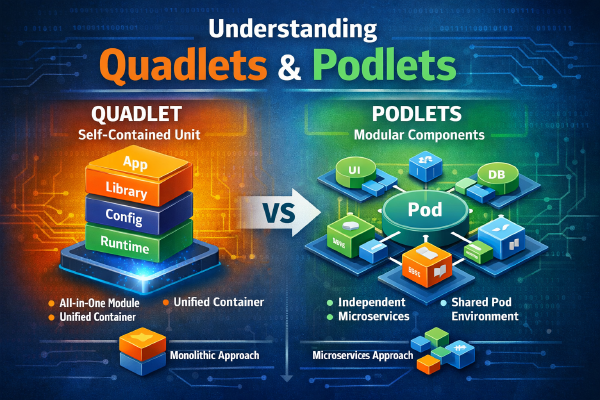
Quadlet and its helper Podlet get a much deeper look in a separate article, Quadlets and Podlets in Podman - here I’ll just stick to the basics.
What Quadlet is#
Quadlet is a mechanism built into Podman that lets you describe containers, pods, networks, volumes, and images declaratively, using ordinary systemd unit files of a special format. On startup systemd itself translates these files into full .service units and runs them via Podman - nothing needs to be generated manually.
In total Quadlet supports several file types:
| Extension | What it describes |
|---|---|
.container | a single container |
.pod | a pod (group of containers) |
.volume | a named volume |
.network | a network |
.image | an image that needs to be pulled in advance |
.build | building an image from a Containerfile |
.kube | deployment from a Kubernetes YAML (podman kube play) |
.artifact | an OCI artifact |
Files are placed in one of the standard paths, depending on whether a system (root) or user (rootless) service is needed:
/etc/containers/systemd/            # system quadlets, root
~/.config/containers/systemd/       # user, rootless
Example .container file#
[Container]
Image=docker.io/library/nginx:latest
PublishPort=8080:80
Volume=nginx-data:/usr/share/nginx/html:Z

[Service]
Restart=always

[Install]
WantedBy=multi-user.target
Once the file is created (say, nginx.container), it’s enough to reload systemd’s configuration and start the service. Mind the name, though: from nginx.container, systemd generates a unit called nginx.service, and that’s the one you talk to:
systemctl daemon-reload
systemctl start nginx.service
From there it’s a full systemd service: autostart at boot via [Install], a unified journal via journalctl -u nginx.service, dependency management via standard After=/Requires=. What you can’t do is systemctl enable it - systemd treats generated units as transient, so autostart is handled only by the [Install] section in the .container file itself.
If the service is rootless and the file lives in ~/.config/containers/systemd/, it’s all the same, just with --user (systemctl --user daemon-reload, systemctl --user start nginx.service), and [Install] gets WantedBy=default.target instead of multi-user.target. More on the rootless quirks - and on why such a service won’t come back after a reboot without loginctl enable-linger - in the article on Quadlet and Podlet. For a homelab where there’s no Kubernetes and none is planned, but systemd is there - this is, in my view, the optimal way to keep container infrastructure.
Podlet - a helper for writing Quadlet files#
Writing .container files by hand isn’t always convenient, especially when you already have a working docker run command or docker-compose.yml that you don’t want to rewrite from scratch. There’s a separate tool for this - Podlet (not to be confused with Quadlet, they’re different things, even though the names look similar).
Podlet is a standalone utility written in Rust, not part of Podman itself, but used closely alongside it. It can generate Quadlet files three ways: from a podman run command (or docker run - the syntax is almost identical), from an existing compose file, and even from an already-running container, pod, network, or volume via podlet generate.
podlet podman run -d -p 8080:80 nginxThe command above will print a ready-made .container file with all the necessary sections to the console - all that’s left is to save it in the right directory. For compose files, Podlet splits services into separate .container files by default, and with the --pod flag gathers them into a single .pod together with the accompanying containers - which one to pick is up to you, depending on what’s closer to the application’s original architecture.
In practice Podlet is especially useful specifically during the migration stage from Docker Compose: no need to manually work out the syntax of Quadlet sections - just feed it an existing docker-compose.yml, then fine-tune the generated file to suit your needs.
What changed in Podman 6#
Podman 6 landed in summer 2026, and this is one of those major version bumps worth taking seriously. Here’s what might bite a home server:
- cgroups v2 only - cgroups v1 support is gone, and on older systems Podman 6 simply won’t run;
- nftables only - iptables support has been removed too;
- Netavark only - the CNI network stack is no longer supported;
- slirp4netns is gone - pasta is the only option left for rootless networking (more on it above);
- no more BoltDB - on first start, Podman 6 will try to migrate it to SQLite on its own, but a backup before upgrading won’t hurt;
- network isolation is now on by default - closer to how Docker behaves, but if your containers on different networks were talking to each other “just because they could,” check that after upgrading;
podman volume prunenow only removes anonymous volumes, like Docker does; the old behavior needs the new--allflag.
If your distro is still on the 5.x branch, it’s still getting fixes - but plan the move to version 6 ahead of time, not in the middle of a routine dnf upgrade.
When it’s worth choosing Podman#
From my own experience, Podman is especially justified if:
- security and rootless mode by default matter to you, not as an option that needs to be bolted on separately;
- the server already uses systemd, and you want to manage containers with the same familiar
systemctlcommands rather than a separate daemon; - Kubernetes is already in use or clearly planned - carrying the configuration over via
podman generate kubeis more convenient than writing manifests from scratch; - you need a daemonless architecture with no single point of failure;
- you’re building a homelab or self-hosted infrastructure and don’t want everything to hinge on a single privileged process.
Conclusion#
Podman isn’t “Docker, but free,” and it’s not a clone made just to be a clone. It’s a separate, by now fairly mature implementation of a container engine that solves specific architectural problems in Docker: it removes the root-privileged daemon, makes rootless mode complete rather than optional, and integrates natively into systemd via Quadlet.
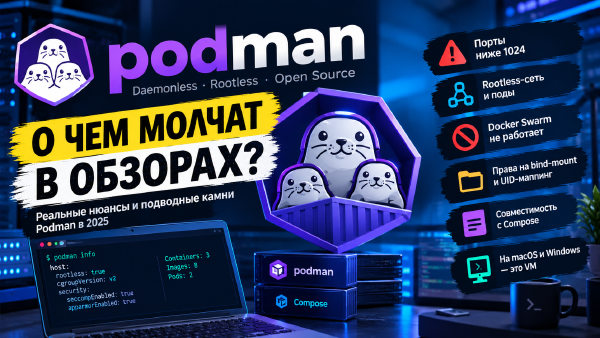
For homelab and small servers, moving from Docker to Podman personally required almost no compromises for me - the CLI is compatible, Dockerfile works as-is, and in return I got fewer points of failure and much more transparent systemd integration. If you’ve been eyeing Podman for a while but haven’t decided - the best way to find out if it’s for you is to simply try it on one not-too-critical service. And to avoid surprises, have a look at Podman - the other side of the coin first - that’s where I honestly listed everything you’ll have to put up with.
Useful links: