
If you enjoyed this article, you can support the author by becoming a sponsor on Boosty (link in the contacts section).
If you’re into homelabbing and you’re starting to build a home server based on Proxmox, sooner or later you’ve probably run into the question: should I just set up Ceph for data storage right away? The idea sounds appealing - a fault-tolerant cluster, automatic replication, that trendy distributed storage engine used in datacenters. At some point I felt the itch to try it myself too.
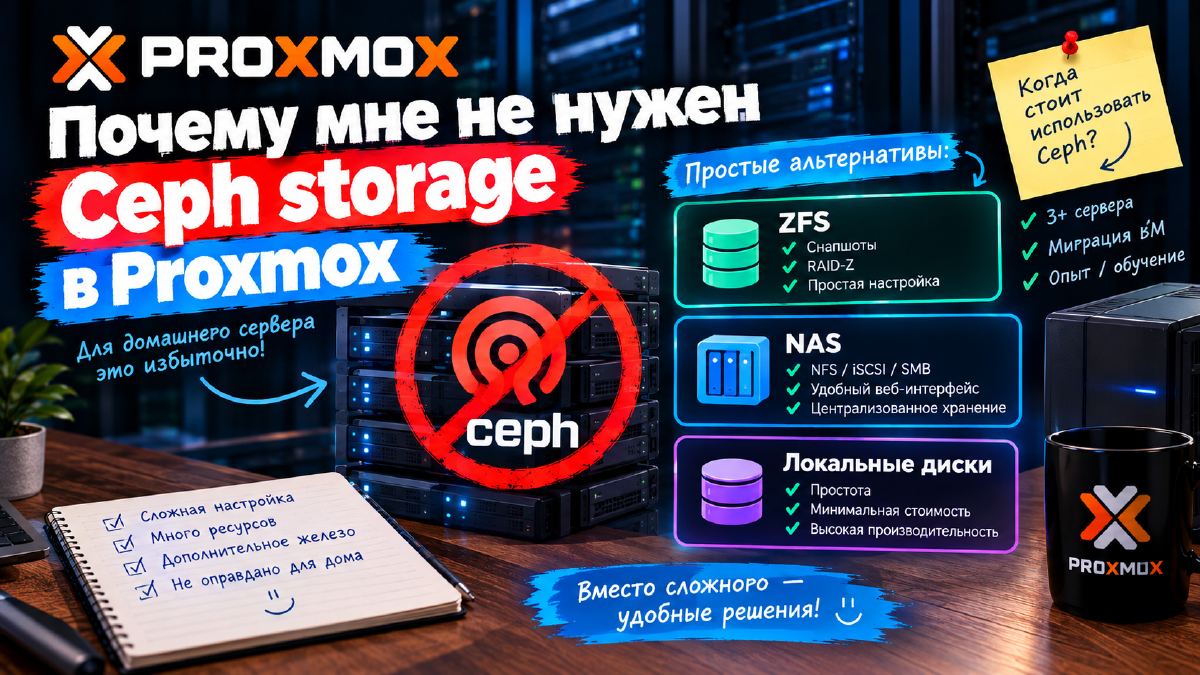
But if you’re honest with yourself about why you’d actually need it at home, in 9 out of 10 cases you won’t find a good answer. I ended up with one server running Proxmox and a separate machine running Proxmox Backup Server, with a NAS over NFS for long-term storage - and that’s more than enough. I never set up Ceph, and so far I don’t regret it. Let’s break down why, for a home scenario, it’s usually unnecessary complexity - and not just because the technology itself isn’t the easiest to learn.
What Ceph Is and Why You’d Need It at All#
Ceph is an open-source distributed storage system that pools disks from multiple servers into a single fault-tolerant storage cluster. Data is automatically replicated across nodes: if one server goes down, the data remains available on the others, and the cluster redistributes the load on its own without administrator intervention.
That’s exactly what makes Ceph the gold standard for datacenters and enterprise infrastructure, where downtime is essentially unacceptable and there are already dozens of servers anyway. But a homelab, with all due respect, usually has quite different needs.
Why Ceph Is Overkill for a Home Proxmox Setup#
1. The Minimum Requirements Aren’t Homelab-Friendly#
The official recommendation for a working Ceph cluster is at least three nodes, and for true production-level fault tolerance, five. Each node ideally needs at least 4 disks for OSDs, a separate network for cluster traffic at 10GbE or higher (2.5GbE is still livable with some caveats, but 1Gbps turns Ceph into a nightmare), plus SSD/NVMe for journaling if you want decent performance.
At home, the typical picture is one server, maybe two. Building out three or four machines just to store a media library and a couple dozen containers is a questionable decision, especially once you factor in the cost of extra hardware, managed 10GbE switches, cables, and the noise of extra fans in your apartment.
2. Setup and Maintenance Complexity#
Ceph isn’t a disk you just mount. It’s monitors (MON), managers (MGR), OSD daemons on every disk, a separate network for internal traffic (public and cluster networks), and its own data distribution logic (CRUSH map). Even if you manage to deploy all of this on home hardware, maintaining it becomes an ongoing job in itself: watching OSD health, updating components in time, figuring out why the cluster suddenly went into HEALTH_WARN.
For an enthusiast who just wants Jellyfin and a couple of containers to run reliably in the evenings, that’s noticeably more hassle than it’s worth.
3. Performance at Small Scale#
Ceph only shows its potential with a sufficient number of nodes, disks, and high network speeds - the whole architecture is built for horizontal scaling, not for one or two servers. At small scale it’s often actually slower than a local ZFS pool: replication and network overhead eat up the speed advantage that local NVMe drives would otherwise give you.
4. Power Consumption and Noise#
Every additional node isn’t just extra money for hardware - it’s an ongoing electricity cost. Three or four servers running around the clock just to keep a Ceph cluster alive almost never pays off for home use, either in money or in the amount of noise in your apartment or garage.
Alternatives to Ceph for a Home Proxmox Setup#
| Solution | Advantages | Disadvantages | Best For |
|---|---|---|---|
| ZFS | Easy to set up, snapshots, RAID-Z, self-healing (scrub) | Requires more RAM | A single server with reliable local storage |
| NAS (TrueNAS, Unraid, OMV) | Centralized storage, convenient web interface, NFS/iSCSI/SMB | A separate device, extra hardware cost | A dedicated data server + Proxmox for compute |
| Local disks | Simplicity, minimal cost | No node-level fault tolerance | Small test rigs |
I ended up with exactly this combination - “a local SSD for fast data + a separate NAS over the network for backups and archives” - and for a home scenario it covers 95% of my needs without a single line of Ceph configuration.
When Ceph Actually Makes Sense at Home#
To be fair, there are scenarios where Ceph is justified even at home:
- you already have three or more servers not only running Proxmox, but also just sitting around unused;
- you genuinely need to migrate VMs between nodes without shared storage based on NFS/iSCSI;
- you deliberately want to practice with Ceph because you work with it professionally and your homelab is your training ground.
If none of these apply to you, you can safely put Ceph aside and skip the unnecessary complexity.
Bottom Line#
Ceph is a great technology, but it really shines in large infrastructures that need genuine fault tolerance and horizontal scaling across dozens of disks. In a home Proxmox setup, it’s almost always overkill. It’s better to invest in good disks, a well-thought-out backup strategy (I, for one, use a separate Proxmox Backup Server for this - I wrote about it separately), and a UPS, rather than spend evenings deploying and then maintaining a Ceph cluster for the sake of one or two home servers.
FAQ#
Can you run Ceph on a single server?#
Technically, yes, but there’s not much point. Ceph is designed as a clustered system, and on a single node it gives you no advantages over ZFS or local disks - just extra overhead.
What’s better for a home Proxmox setup: ZFS or Ceph?#
For the vast majority of home scenarios, ZFS is simpler, more reliable in operation, and cheaper in terms of hardware. Ceph is only justified if you have at least three, and ideally five, servers.
How do you store Proxmox virtual machines at home without Ceph?#
The most practical option is local disks with ZFS on the Proxmox server itself, or a separate NAS connected over NFS or iSCSI for data that doesn’t need to live on the fastest possible storage.