Migrating ProHomeLab from its old shared host to GitHub Pages on top of an already configured Obsidian → Forgejo → Hugo pipeline, while preserving all URLs and search engine rankings.
I set up self-hosted Postiz and try to connect it to YouTube, VK, and RuTube - walking through the real steps, the required env variables, and known bugs. In the end, out of three platforms, only one works reliably, and I honestly explain why.
Continuing the series of articles about a home NAS on Fedora Server 44. This time we set up automatic creation and cleanup of ZFS snapshots using Sanoid, go over the snapshot retention policy and systemd timers, and get acquainted with Syncoid for future data replication to a backup server.
We build a modern home NAS on Fedora Server 44 with the OpenZFS filesystem, the Cockpit web interface, and the Samba file server. A complete step-by-step guide to installation, ZFS configuration, SELinux, and publishing an SMB share.
NetBird turns your devices into one private mesh network and, more recently, doubles as a reverse proxy - so home services go public without a single open port on the router.
Pangolin lets you publish local services to the internet without opening ports, using secure tunnels and a convenient web interface - an ideal solution for a home server and homelab.
A detailed walkthrough for installing and configuring Grimmory: deploying it in Docker, adding books, organizing your library, and using the built-in web reader.
A detailed guide to installing and configuring BookLore: deploying it in Docker, adding books, organizing your library, and using the built-in web reader.
A detailed comparison of Karakeep and Linkwarden - self-hosted bookmark and link archive managers. We break down features, differences, architecture, a comparison table, and recommendations for homelab and DevOps.
In this article we’ve rounded up the most interesting self-hosted apps that appeared in 2025. From media servers and productivity tools to security and automation systems - let’s look at what’s worth trying and why.
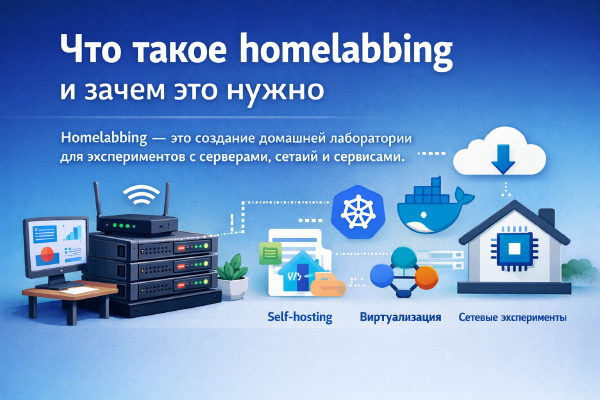
Homelabbing is building a home lab for experimenting with servers, networks, and services. It helps you learn technologies, test new solutions, and develop practical IT skills.