Bookmarks
Karakeep - setting up a bookmark manager with AI tagging via Ollama
Also available in: RU
Part 25 of 25 in the series Self-Hosting
- Pros and Cons of Fedora Server 42
- Linkwarden Overview - A Modern Self-Hosted Bookmark Manager
- PostgreSQL and pgAdmin in Docker - Beginner Setup Guide
- Mealie Recipe Manager - Self-Hosted Meal Planning on Docker
- Vaultwarden in Docker - Your Own Password Vault, Not Bitwarden's
- Diun - Get Notified When Your Docker Images Have Updates
- How to Upgrade Linux Server Distributions
- How to Start a Homelab - Hardware, Hypervisor, and Your First Service
- The Best Self-Hosted Apps of 2025 - A Personal Roundup
- Best Bookmark Manager - Linkwarden or Karakeep
- BookLore - A Self-Hosted Library and Reader for Your Book Collection
- Grimmory - A Self-Hosted Library and Reader for Your Book Collection
- Pangolin Tunnel Setup - Expose Homelab Services Without Ports
- NetBird Self-Hosted - Mesh VPN Without Port Forwarding
- Postiz - Trying to Automate YouTube, VK, and RuTube, and Why Only One Out of Three Actually Works
- Connecting Applications to a Shared PostgreSQL and Learning Basic Maintenance - Part 2
- Dozzle - A Convenient Real-Time Log Viewer for Docker Containers
- Docker Hit Its Network Limit - How I Diagnosed and Fixed It with default-address-pools
- Gotify - Your Own Push Notification Server for the Hypervisor and Beyond
- Forgejo + Komodo - Turning Docker Compose into GitOps
- GitOps for Homelab - Deploying Forgejo and Komodo From Scratch
- GitLab, Gitea, and Forgejo. A Comparison for Grown-Ups - What Actually Fits Your Homelab
- Auto-Updating Docker Containers - Renovate + Forgejo + Komodo
- Matrix Synapse - Setting Up Your Own Server for Decentralized Chat
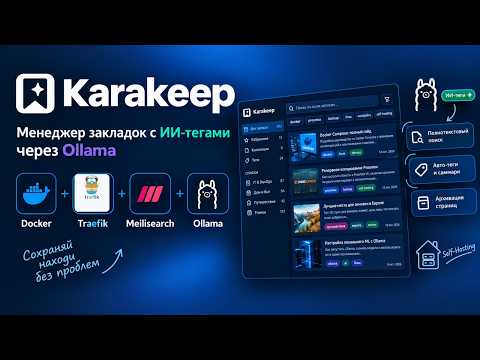
- Karakeep - setting up a bookmark manager with AI tagging via Ollama
Contents
If you enjoyed this article, you can support my work on Boosty.
I've already compared the two most popular self-hosted bookmark managers in Which Bookmark Manager Is Better, Linkwarden or Karakeep?, and I've written a separate Linkwarden review and setup guide. Now it's Karakeep's turn. This time it's hands-on. Here's how I set it up at home, behind Traefik, with Meilisearch for search and a local model in Ollama that does the tagging for me.
Why bother when your browser already has bookmarks?
The first question people ask about any bookmark manager is fair enough. Chrome, Firefox, and Safari can save links out of the box, sync them across devices, and ask for nothing in return. Why spin up three containers for that?
Because bookmarking a link in your browser and saving a page in Karakeep are two different things.
A browser bookmark saves the address. The browser remembers the link and the title, and that's it. A year later, the article might have moved, gone behind a paywall, been rewritten, or disappeared along with the site. You open the bookmark and get a 404. When you save something in Karakeep, it grabs the page itself, including the text, images, a screenshot, and a full copy if you want one. The original can disappear and you'll still have your copy.
Your browser only searches bookmark titles and URLs. If all you remember is what an article was about, your browser isn't much help. Karakeep searches the full text of saved pages, and with embeddings enabled, it can search by meaning too. You can find “that article about setting up backups in Proxmox” even if the word “backup” never appeared in the title.
You have to organize browser bookmarks yourself. Which means you never do. Let's be honest. For most of us, bookmarks are a folder called “Misc” with a couple thousand links in it that nobody ever opens. Karakeep uses a model to tag and summarize things for you, and suddenly that pile is something you can find your way around.
Links are only the start. Where would you put a note, a screenshot, a photo of the whiteboard from a meeting, or a PDF in your browser bookmarks? Karakeep keeps all of that in one place and can even pull text out of images.
Your bookmarks are tied to your browser. Chrome bookmarks live in Chrome, Safari bookmarks live in Apple's ecosystem, and moving them between browsers is a whole other kind of fun. Karakeep works across browsers. It has extensions for Chrome, Firefox, and Safari, plus apps for iOS and Android. You can get to everything you've saved from any of them.
And the data stays with you. Browser bookmark sync goes through Google's, Mozilla's, or Apple's cloud. With Karakeep, everything lives on your server. Hook up a local model through Ollama and even the tags and summaries are generated at home.
You can keep your browser bookmarks. Karakeep is for all the stuff you save because “I'll read that later” or “this might come in handy,” then want to find again six months down the line.
What is Karakeep?
Karakeep (formerly Hoarder) is an open-source app built around the idea of “just save everything.” Throw links, notes, images, and PDFs at it. It'll pull in the title, description, and preview, save a copy of the page, and use a language model to tag it. Karakeep was built for self-hosting from the start. The cloud version comes second.
- Website and documentation - docs.karakeep.app
- Source code - github.com/karakeep-app/karakeep
Here's what I've actually found useful.
- It automatically pulls in the title, description, and image for each link.
- It organizes bookmarks into lists, and you can share a list with another user.
- It searches the full text of saved pages and can search by meaning when embeddings are enabled.
- It uses an LLM to tag and summarize pages, with the option to run the model locally through Ollama.
- It recognizes text in images (OCR).
- It saves a full copy of a page with monolith and can download videos with yt-dlp.
- It automatically pulls in new entries from RSS feeds.
- It lets you highlight passages and keeps those highlights.
- It has a rules engine for sorting things automatically.
- It supports SSO and a REST API, with extensions for Chrome, Firefox, and Safari and mobile apps for iOS and Android.
- It imports bookmarks from other services and syncs with browser bookmarks through floccus.
What runs where
Karakeep takes three containers.
- web runs the app itself and its background workers. The SQLite database and the job queue live in
/data. - chrome runs headless Chrome. Karakeep uses it to open pages, render JavaScript, take screenshots, and archive content.
- meilisearch handles full-text search.
The fourth piece, Ollama, lives on a separate host with a GPU in my setup. Karakeep talks to it over the network. Ollama is optional. Karakeep works just fine as a bookmark manager without it. You'll just have to do the tagging yourself.
flowchart LR
  U["Browser / extension / app"] -->|"HTTPS"| T["Traefik"]
  T --> W["karakeep<br>web + workers"]
  W --> C["karakeep-chrome<br>headless Chrome"]
  W --> M["karakeep-meilisearch<br>search"]
  W -.->|"tags, summaries, embeddings"| O["Ollama<br>separate host"]
Getting ready
Let's create a project directory. All the data will live alongside the Compose file, in the data and meilisearch subdirectories.
mkdir -p ~/karakeep && cd ~/karakeepKarakeep needs two secrets, one for NextAuth sessions and a master key for Meilisearch. We'll generate them with the command the docs recommend.
openssl rand -base64 36Run it twice so you get two different strings.
The .env file
KARAKEEP_VERSION=releaseNEXTAUTH_SECRET=<первая_сгенерированная_строка>MEILI_MASTER_KEY=<вторая_сгенерированная_строка>NEXTAUTH_URL=https://karakeep.stilicho.ruA couple of things to keep in mind here.
NEXTAUTH_URLhas to match the address you actually use to open Karakeep. Puthttp://localhost:3000here and then try to sign in through your domain, and you'll run into login problems.- Both the Karakeep and Meilisearch containers read
MEILI_MASTER_KEY, so both services load.env. releaseis a floating tag that always points to the latest release. If you want control over updates, pin a specific version. I covered how to automate those updates through pull requests in my article on Renovate, Forgejo, and Komodo.
docker-compose.yml
I started with the official Compose file from the project repo and changed three things. I swapped named volumes for bind mounts, added the Traefik labels, and put the internal services on their own network to keep Chrome and Meilisearch off the shared proxy network.
services:  web:    image: ghcr.io/karakeep-app/karakeep:${KARAKEEP_VERSION:-release}    container_name: karakeep    restart: unless-stopped    volumes:      - ./data:/data    env_file:      - .env    environment:      MEILI_ADDR: http://meilisearch:7700      BROWSER_WEB_URL: http://chrome:9222      # Ollama (нативный API)      OLLAMA_BASE_URL: http://<IP_хоста_Ollama>:11434      INFERENCE_TEXT_MODEL: gemma3      INFERENCE_IMAGE_MODEL: llava      EMBEDDING_TEXT_MODEL: embeddinggemma      EMBEDDING_DIMENSIONS: 768      EMBEDDING_CONTEXT_LENGTH: 2048      # Путь внутри контейнера не меняем, папку на хосте задает volumes выше      DATA_DIR: /data    networks:      - proxy      - karakeep    labels:      - "traefik.enable=true"      - "traefik.http.routers.karakeep.entrypoints=web"      - "traefik.http.routers.karakeep.rule=Host(`karakeep.stilicho.ru`)"      - "traefik.http.middlewares.karakeep-https-redirect.redirectscheme.scheme=https"      - "traefik.http.routers.karakeep.middlewares=karakeep-https-redirect"      - "traefik.http.routers.karakeep-secure.entrypoints=websecure"      - "traefik.http.routers.karakeep-secure.rule=Host(`karakeep.stilicho.ru`)"      - "traefik.http.routers.karakeep-secure.tls=true"      - "traefik.http.routers.karakeep-secure.tls.certresolver=cloudflare"      - "traefik.http.routers.karakeep-secure.service=karakeep"      - "traefik.http.services.karakeep.loadbalancer.server.port=3000"      - "traefik.docker.network=proxy"
  chrome:    image: ghcr.io/karakeep-app/karakeep-chrome:release    container_name: karakeep-chrome    restart: unless-stopped    init: true    command:      - --disable-gpu      - --disable-dev-shm-usage      - --hide-scrollbars      - --disable-blink-features=AutomationControlled      - --window-size=1440,900    networks:      - karakeep
  meilisearch:    image: getmeili/meilisearch:v1.41.0    container_name: karakeep-meilisearch    restart: unless-stopped    env_file:      - .env    environment:      MEILI_NO_ANALYTICS: "true"    volumes:      - ./meilisearch:/meili_data    networks:      - karakeep
networks:  proxy:    external: true  karakeep:
A few details worth explaining.
- No ports are published. All traffic goes through Traefik over the
proxynetwork, sowebdoesn't need aports:section. If you don't run Traefik, remove the labels and theproxynetwork and addports: - 3000:3000. You can then open Karakeep athttp://IP_сервера:3000. Remember to updateNEXTAUTH_URLtoo. - The
karakeepnetwork has noexternalflag, so Docker creates it on the first run. Chrome and Meilisearch are only attached to this network, which keeps them out of reach from the proxy network. - The
proxynetwork is external and shared by all the services behind Traefik. I covered how to create it and how Traefik works in Docker in Traefik in Docker - setting up a reverse proxy from scratch. - The Ollama block can go altogether if you don't run a local model. More on that below.
Starting it up
docker compose up -ddocker compose logs -f webThe first startup takes a little while as the app runs its database migrations and waits for Meilisearch. Once the logs settle down, open https://karakeep.stilicho.ru and sign up. The first user to sign up becomes the admin.
Once you've created your account (and accounts for your family if you need them), it's worth closing signups, especially if Karakeep is reachable from the internet. Add this line to .env.
DISABLE_SIGNUPS=trueThen recreate the container with docker compose up -d.
If you already have an SSO provider on your home network, Karakeep supports OAuth/OIDC login through OAUTH_WELLKNOWN_URL, OAUTH_CLIENT_ID, and OAUTH_CLIENT_SECRET. I covered how to set one up in my article on using Authentik as a proxy and OIDC provider.
AI tagging with Ollama
This is what made me pick Karakeep in the first place. On its own, it's a good place to stash links. Add a model and every page you save gets a set of tags and a short summary automatically. A month later, you can actually find something in that stash.
Karakeep can talk to Ollama two ways, through Ollama's native API or through the OpenAI-compatible API. The docs recommend the second. I use the first. Both work. If you're using the native API like I am in this Compose file, make sure OPENAI_API_KEY is unset everywhere, including environment and .env. Otherwise, Karakeep gives it priority and sends requests to OpenAI instead of Ollama.
Here's what the variables in the Compose file do.
| Variable | What I use | What it's for |
|---|---|---|
OLLAMA_BASE_URL |
The address of the Ollama host | Where Karakeep sends its requests |
INFERENCE_TEXT_MODEL |
gemma3 |
Generates tags and summaries from page text |
INFERENCE_IMAGE_MODEL |
llava |
Handles images and generates tags for them |
EMBEDDING_TEXT_MODEL |
embeddinggemma |
Generates embeddings for semantic search |
EMBEDDING_DIMENSIONS |
768 |
Vector dimensions. Must match the embedding model |
EMBEDDING_CONTEXT_LENGTH |
2048 |
How many characters of text to pass to the embedding model |
Pull all three models on the Ollama host ahead of time.
ollama pull gemma3ollama pull llavaollama pull embeddinggemmaEmbeddings are a fairly recent addition to Karakeep. They came in with version 0.33 and let you search by meaning as well as by exact word matches. Karakeep also slips the model tags from similar bookmarks you've already saved when it's tagging a new one. That makes the tags noticeably more consistent. Semantic search is still marked experimental, so if you don't need embeddings, you can leave out the three EMBEDDING_ lines.
A few more variables come in handy.
INFERENCE_LANGcontrols what language the model uses for tags. The default isenglish. If you want tags in Russian, set it torussian.INFERENCE_OUTPUT_SCHEMA: plainis for models that can't produce structured output. The telltale sign is that tags never show up and the worker logs are full of errors parsing the response.INFERENCE_JOB_TIMEOUT_SECcontrols how many seconds to wait for the model to respond. The default is 30. If Ollama is running on slow hardware or the model gets unloaded between requests, the first few jobs may time out. In that case, bump this up.
Archiving pages
By default, Karakeep keeps a screenshot of the page. To keep a full copy even after the page disappears from the original site, enable archiving explicitly.
| Variable | Default | What it does |
|---|---|---|
CRAWLER_STORE_SCREENSHOT |
true |
Saves a screenshot of the page |
CRAWLER_FULL_PAGE_SCREENSHOT |
false |
Captures the whole page, including the part below the fold |
CRAWLER_FULL_PAGE_ARCHIVE |
false |
Saves a full local copy of the page with monolith |
CRAWLER_STORE_PDF |
false |
Also saves the page as a PDF |
CRAWLER_VIDEO_DOWNLOAD |
false |
Downloads videos from the page with yt-dlp |
CRAWLER_VIDEO_DOWNLOAD_MAX_SIZE |
50 |
Maximum download size per video, in MB |
Add these variables under environment for the web service or in .env. Bear in mind that full archives, and videos especially, can make your data directory balloon fast. If you're looking to archive entire YouTube channels, there's a dedicated tool for that. I wrote about it in my article on TubeArchivist.
Clients
The web interface is only one way in.
- Browser extensions for Chrome, Firefox, and Safari save the current page in one click.
- Mobile apps for iOS and Android support offline reading.
- Import and sync let you bring in bookmarks from other services and sync with your browser through floccus.
- The REST API and CLI are there if you want to automate something yourself.
Whichever client you use, enter your server address the first time you sign in. Mine is https://karakeep.stilicho.ru.
Bottom line
Karakeep does exactly what sent me looking for a bookmark manager in the first place. I can save a page and find it again without having to remember what it was called. Full-text search through Meilisearch and automatic tags from a local model turn a pile of links into a proper knowledge base, and none of my bookmarks end up in somebody else's cloud.
If you're more interested in collaborating and organizing collections and can do without the AI, take a look at Linkwarden. I went through the differences in detail in my Linkwarden vs. Karakeep comparison.
Links
Related articles
Matrix Synapse - Setting Up Your Own Server for Decentralized Chat
Deploying Matrix Synapse in Docker with PostgreSQL behind Traefik: config generation, secure secret storage, disabled open registration, creating the first user via CLI, and connecting the Element client.
GitOps for Homelab - Deploying Forgejo and Komodo From Scratch
A detailed GitOps tutorial for beginners: deploying Forgejo as your own git server, Komodo to manage Docker stacks, and configuring auto-deploy on push, with every configuration parameter explained along the way.
Forgejo + Komodo - Turning Docker Compose into GitOps
Step by step, we build a GitOps setup for Docker Compose: Forgejo stores the configuration in Git, Komodo watches for changes and automatically updates the stacks on multiple servers.